
Connect Your Allen-Bradley Data Highway Plus (DH+) Network to Modern PCs and Ethernet
Thousands of plants still run PLC-5 and SLC 5/04 processors on Allen-Bradley Data Highway Plus (DH+). The controllers keep working. What fails is the connection to them: the interface cards need ISA, PCI or PCMCIA slots that modern computers no longer have, and the OEM options are expensive or take up rack space.
Automation Networks makes two DH+ converters that solve this without touching your PLCs, your ladder logic or your DH+ cabling. Pick the one that matches how you work:
Go online, upload, download and troubleshoot PLC-5 and SLC 5/04 processors from a Windows 10 or 11 PC over USB.
ANC-120e USB to DH+ – $995Put your DH+ network on plant Ethernet for Ignition, Kepware, FactoryTalk View, Wonderware and PanelView Plus.
ANC-100e DH+ to Ethernet – $1,195Still Running DH+? Why Connecting to It Got Hard
DH+ itself is reliable. The problem is the hardware that used to sit between a PC and the network:
- Legacy interface cards such as the 1784-KTX (ISA), 1784-PKTX (PCI) and 1784-PCMK (PCMCIA) need slots that current laptops and desktops don't have, which pushes teams into old PCs or virtual machines.
- The Rockwell 1784-U2DHP USB cable works, but it typically costs over $3,000 USD new through distributor quoting cycles.
- A ControlLogix rack with a 1756-DHRIO used only as a gateway means paying for a chassis, a power supply and an Ethernet module just to reach DH+.
- Old bridges like the 1770-KF2 and 1785-ENET are hard to source and hard to support.
USB or Ethernet: Which DH+ Converter Do You Need?
Both converters connect to your existing DH+ network and auto-detect the network speed. The difference is how you connect to them.
| Feature | ANC-120e (USB to DH+) | ANC-100e (DH+ to Ethernet) |
|---|---|---|
| Best for | Laptop programming, troubleshooting and field service | Permanent SCADA, HMI and PanelView Plus integration |
| Connection to PC / network | USB, powered by the PC (no power supply) | 10/100 Mbps Ethernet, 9–24 VDC, DIN-rail mount |
| DH+ speeds | ✅ 57.6k, 115.2k, 230.4k (auto-detected) | ✅ 57.6k, 115.2k, 230.4k (auto-detected) |
| Rockwell software | RSLinx Classic (“Remote Devices via Linx Gateway” or “Ethernet devices” driver), RSLogix 5 / 500 | RSLinx Classic and FactoryTalk Linx (AB_ETH / AB_ETHIP drivers), RSLogix 5 / 500 |
| SCADA / HMI | FactoryTalk, Ignition, Kepware, Wonderware | FactoryTalk View, Ignition, Kepware, AVEVA Wonderware; up to 5 concurrent HMI / SCADA connections |
| Warranty | ✅ Lifetime warranty + 30-day money-back | ✅ Lifetime warranty + 30-day money-back |
| Price (USD) | $995.00 – In Stock | $1,195.00 – In Stock |
Data Highway Plus (DH+) Network Quick Reference
The specs you need on the plant floor when you're adding a device or tracking down a communication fault on a DH+ link:
| DH+ parameter | Value |
|---|---|
| Data rates | 57.6 kbps, 115.2 kbps or 230.4 kbps |
| Maximum cable length | 3,048 m (10,000 ft) at 57.6 kbps · 1,524 m (5,000 ft) at 115.2 kbps · 762 m (2,500 ft) at 230.4 kbps |
| Cable | Twinaxial “Blue Hose” – Rockwell 1770-CD / Belden 9463 |
| Stations per network | Up to 64 (node addresses 0–77 octal) |
| Topology | Daisy chain or trunkline / dropline; droplines up to 30.5 m (100 ft) |
| Termination | One resistor at each end of the trunk: 150 Ω at 57.6 kbps, 82 Ω at 230.4 kbps |
| Access method | Token passing, peer-to-peer |
Not sure what speed your network runs at? You don't need to know: the ANC-120e and the ANC-100e detect the baud rate and correct reversed wiring polarity automatically. For cabling details, see Rockwell's Data Highway / Data Highway Plus station connector installation data.
Compatible PLCs and Software
Both converters work with the Allen-Bradley processors that have a DH+ port and with the software you already use:
- PLC-5 processors (all models with DH+): see PLC-5 on DH+ to Ethernet.
- SLC 5/04 processors: see the SLC 5/04 guide and the SLC 500 family overview.
- RSLinx Classic and FactoryTalk Linx: driver setup guide.
- SCADA and OPC: Ignition, Kepware KEPServerEX and AVEVA Wonderware.
- HMI: replace a DH+ PanelView with an EtherNet/IP PanelView Plus 6 or 7 using the ANC-100e.
Replacing a Legacy DH+ Interface
| If you use today… | Replace it with | More details |
|---|---|---|
| 1784-U2DHP USB cable | ANC-120e | 1784-U2DHP alternative |
| 1784-KTX, 1784-PKTX or 1784-PCMK card | ANC-120e (laptop) or ANC-100e (networked PC) | Card replacement options |
| 1756-DHRIO in a ControlLogix rack | ANC-100e | 1756-DHRIO alternative |
| ProSoft AN-X2 / AN-X4 gateway | ANC-100e | AN-X2 alternative |
| 1770-KF2 or 1785-ENET bridge | ANC-100e | ANC-100e product page |
DH+ Connectivity FAQ
Can I program a PLC-5 or SLC 5/04 over DH+ from a Windows 11 laptop?
Yes. The ANC-120e plugs into a USB port on a Windows 10 or 11 PC. You configure it in RSLinx Classic with the “Remote Devices via Linx Gateway” or “Ethernet devices” driver and go online with RSLogix 5 or RSLogix 500. Step-by-step instructions are in the ANC-120e user's guide.
Do I have to change my ladder logic or rewire my DH+ network?
No. Both converters connect to your existing DH+ network as another station, and the ANC-100e requires no ladder logic changes. They also detect the network baud rate and correct reversed wiring polarity on their own.
Can Ignition, Kepware or FactoryTalk View read data from DH+ PLCs?
Yes. The ANC-100e uses native Rockwell ControlLogix Ethernet/IP drivers, so SCADA, HMI and OPC software connects to it without tag-mapping tables. It supports up to 5 concurrent HMI or SCADA connections. See the ANC-100e user's guide.
Which one should I buy if I need both?
The two work well together: an ANC-100e mounted in the panel for permanent SCADA and HMI access, and an ANC-120e in the maintenance laptop bag for on-site programming. If you're unsure, tell us about your network and an engineer will recommend the right setup.
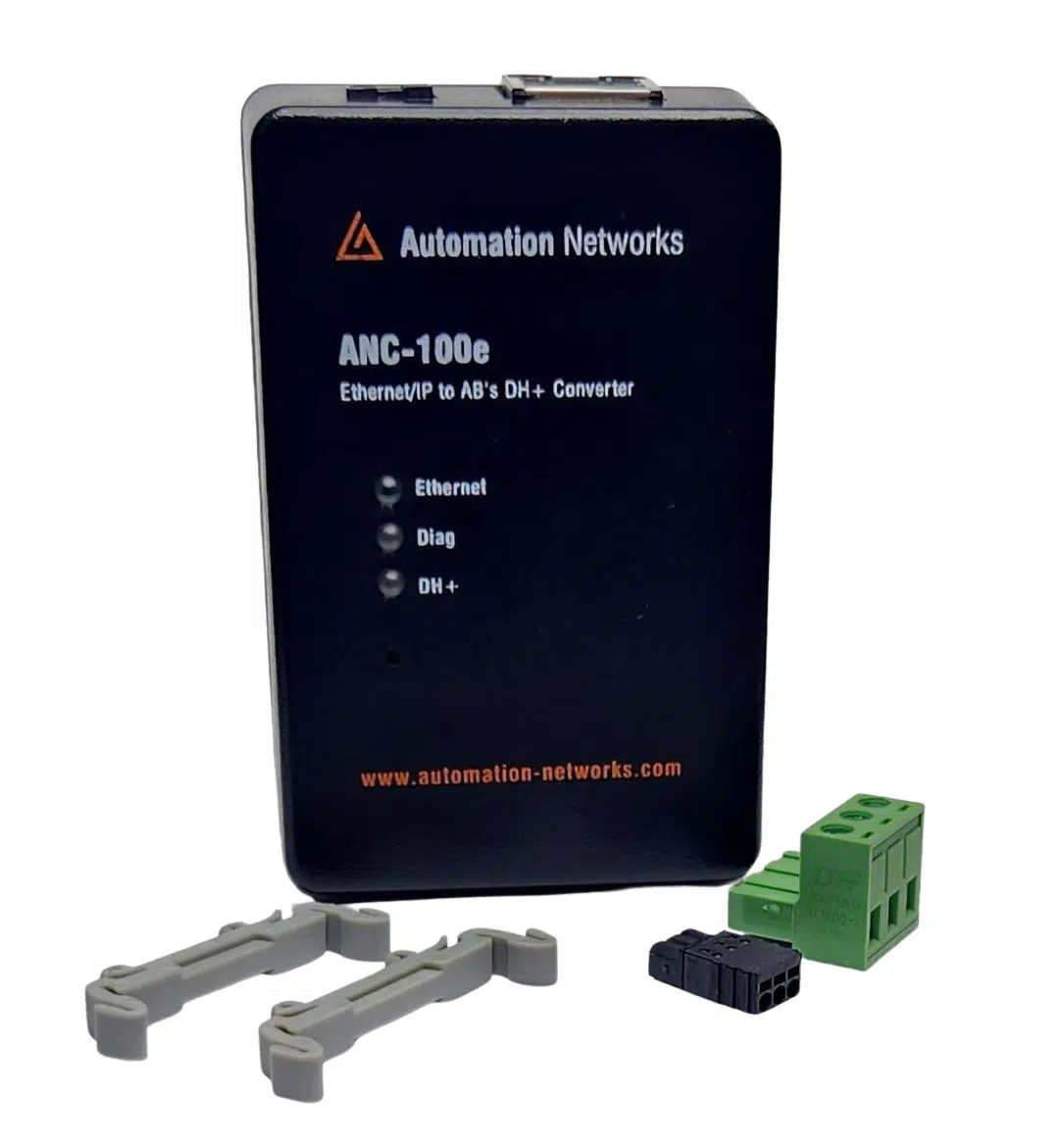
DIN-rail gateway for permanent SCADA, HMI, and PanelView Plus integration to legacy DH+ PLCs.
- • Standalone DH+ gateway architecture
- • Ignition, Kepware & FactoryTalk compatible
- • Lifetime Warranty & 30-day money-back satisfaction guarantee
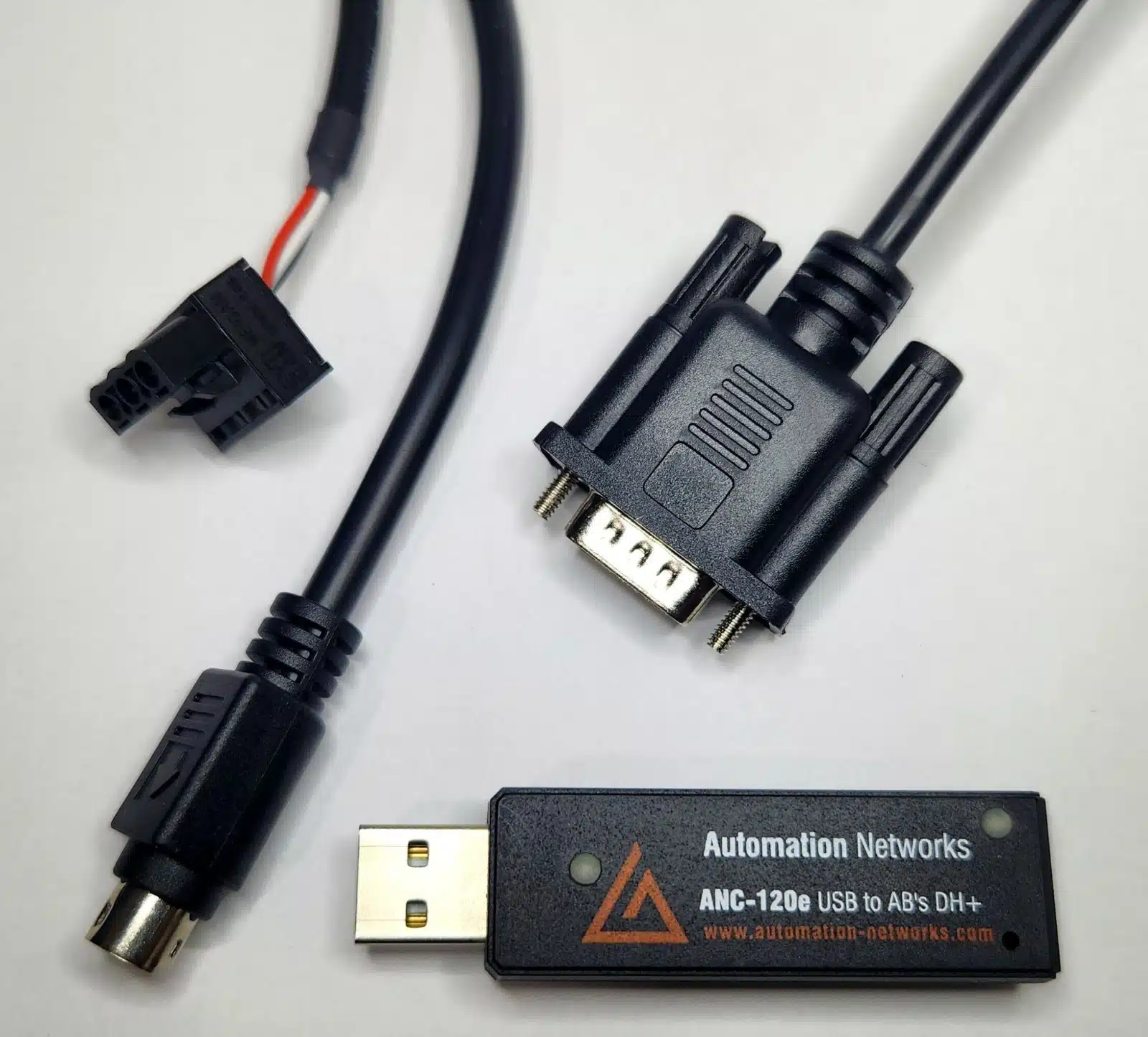
Field-proven 1784-U2DHP alternative. Connect your laptop to PLC-5 and SLC 5/04 controllers via USB on Windows 10 & 11.
- • Windows 10 & 11 (64-bit) native support
- • Cost-effective 1784-U2DHP alternative
- • Auto Baud & Auto Polarity detection
Both converters are in stock and ready to ship from the USA, with a lifetime hardware warranty, a 30-day money-back satisfaction guarantee and direct engineer-to-engineer support.