
ANC-120e USB to DH+ PLC Programming Cable
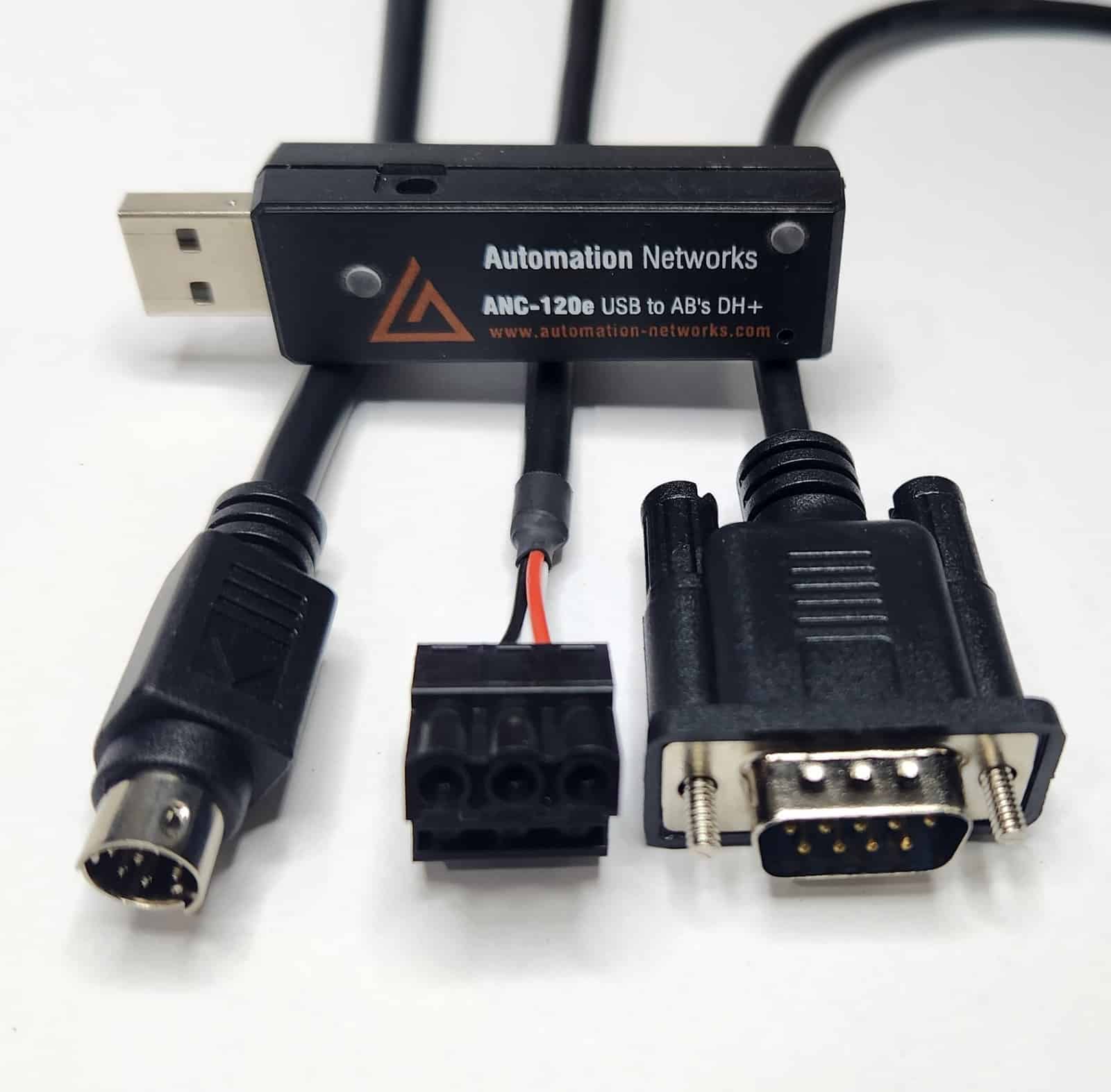
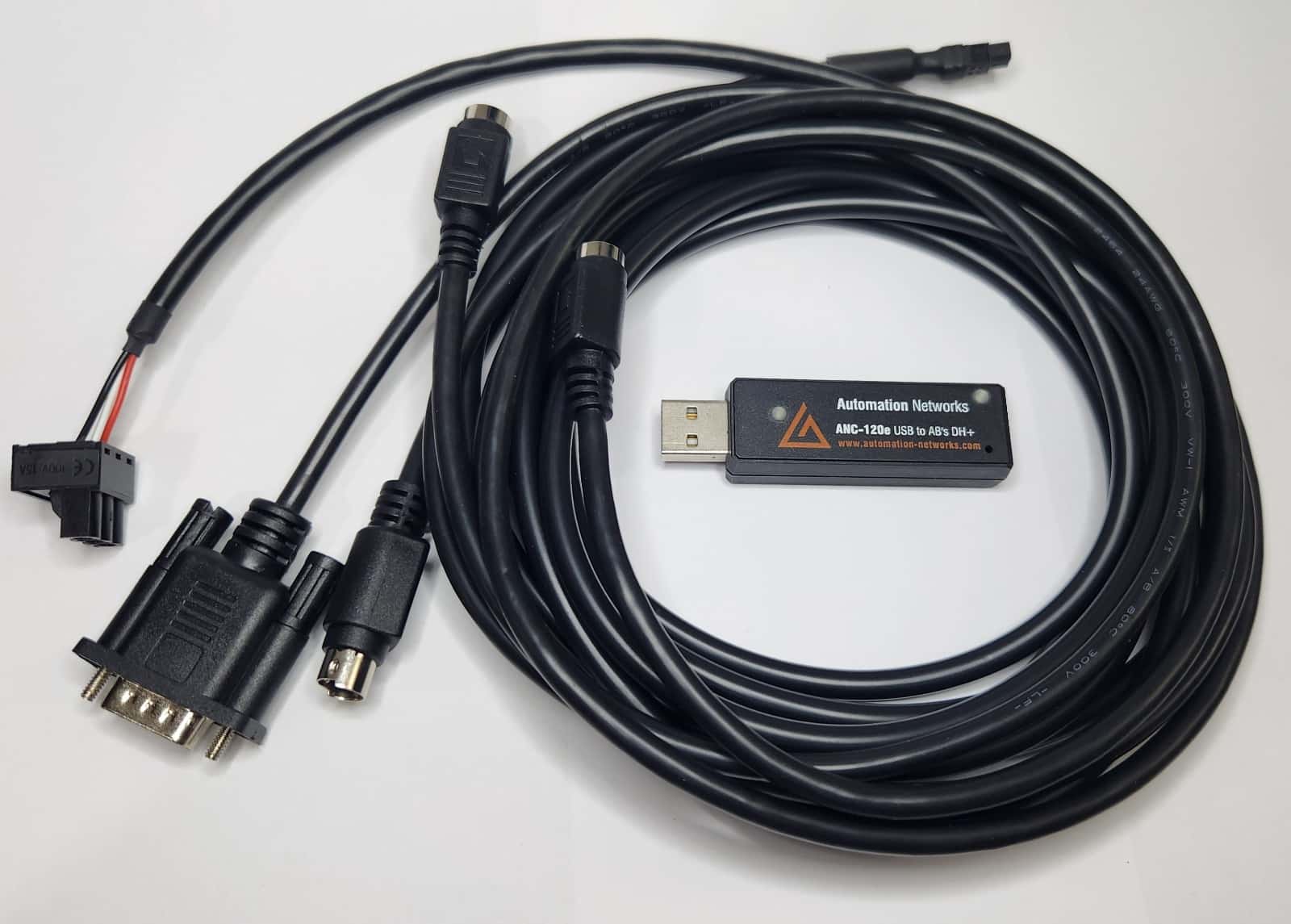
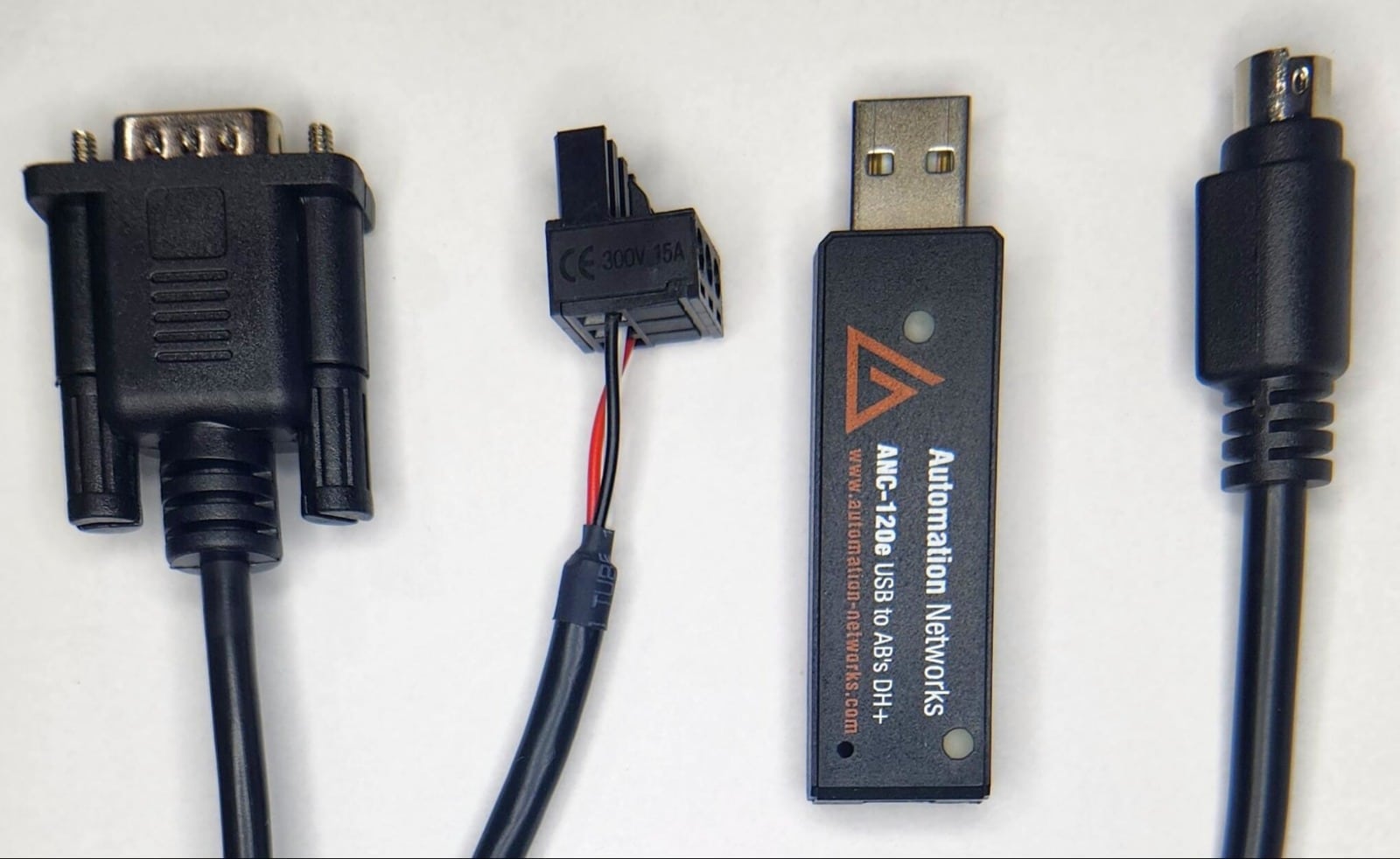
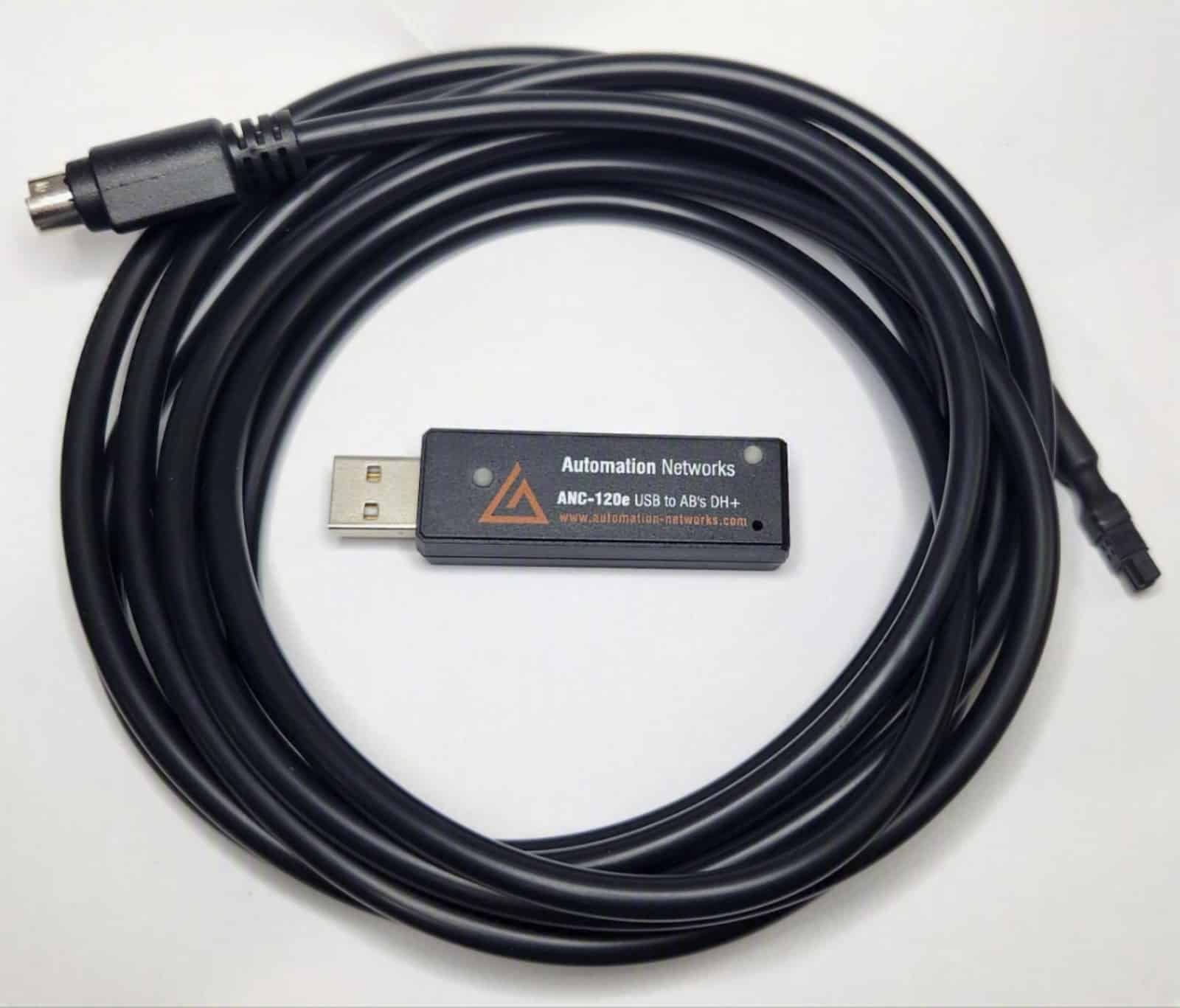
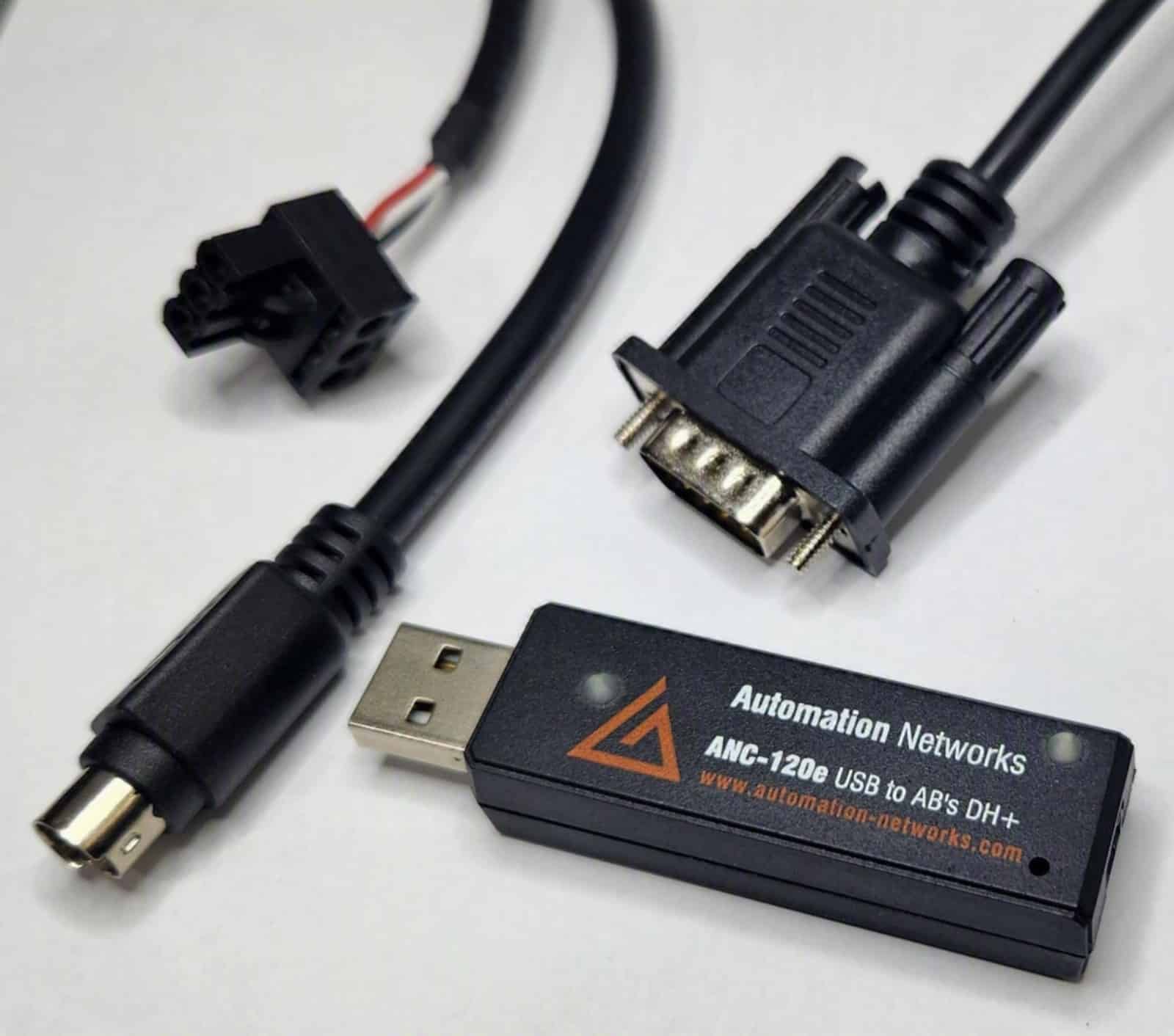
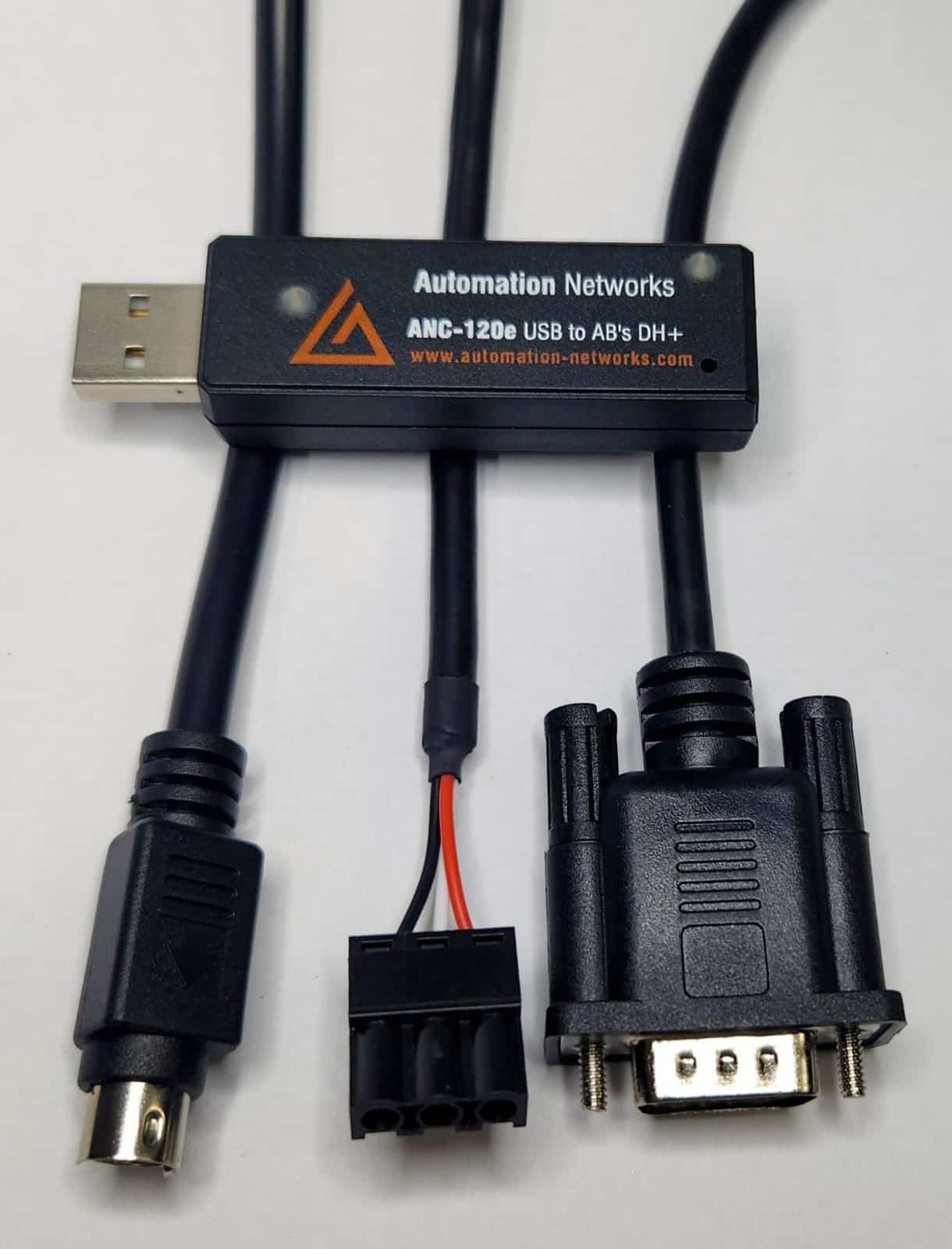
The ANC-120e converter is a USB to Data Highway Plus (DH+) programming cable and a lower-cost alternative to the Allen-Bradley 1784-U2DHP. Connect a Windows 10 or 11 laptop to your DH+ network and go online with PLC-5 and SLC 5/04 processors using RSLinx and RSLogix 5/500.
Key Technical Advantages of the ANC-120e Converter:
- Superior Replacement: A compact, high-speed USB interface that replaces PCMCIA and ISA interface cards.
- Streamlined Setup: Install the USB driver once, then configure it in RSLinx with either the “Remote Devices via Linx Gateway” or the “Ethernet devices” driver. No COM port redirection or routing software needed.
- Intelligent Auto-Detection: Automatically detects the DH+ baud rate and cable polarity.
- Broad Compatibility: Works with RSLinx Classic, FactoryTalk, Kepware, Ignition and Wonderware.
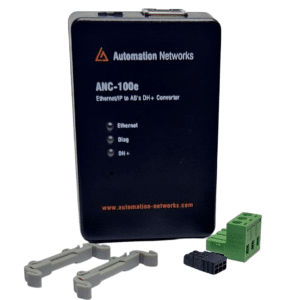
- Alternatively, do you need a fixed Ethernet installation? Discover the ANC-100e.
✅ Compatible with Windows 10 & 11 (32-bit and 64-bit)
$995.00
Independent Industry Review
Watch Shawn Tierney from The Automation Blog demonstrate the seamless setup and performance of the ANC-120e on a live DH+ network.
“In today’s episode of The Automation Podcast I take a look at the ANC-120e USB to Data Highway Plus converter… Now you may be asking yourself why the folks over at Automation Networks would release a USB to DH+ converter when Rockwell already makes the 1784-U2DHP? Well if you haven’t looked lately…”
Overview: ANC-120e USB to DH+ Converter
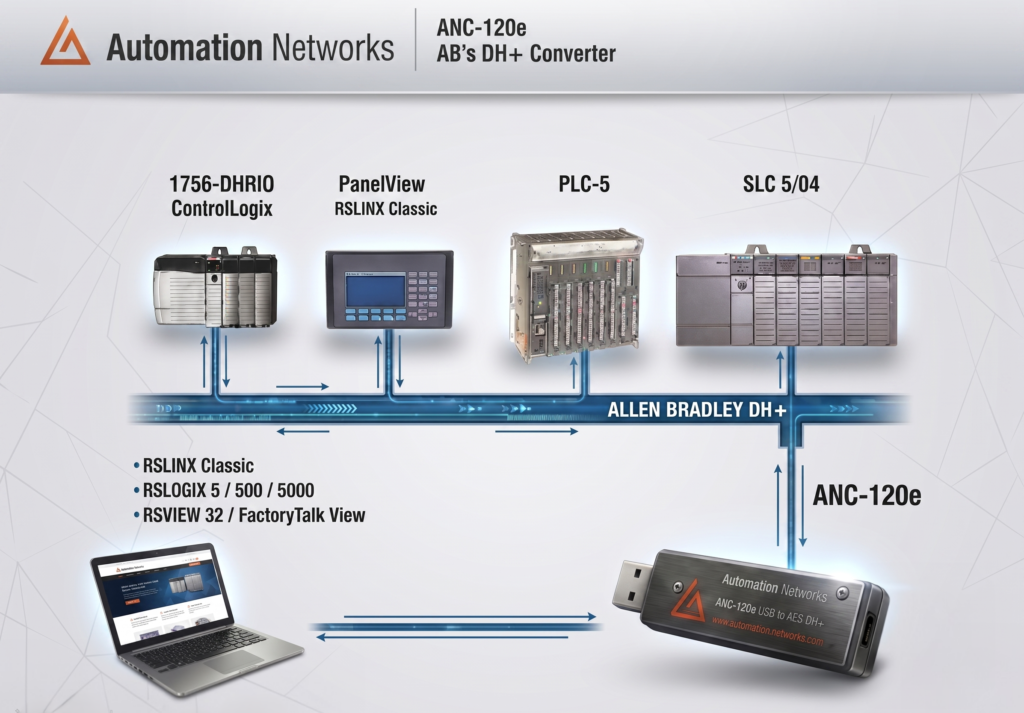
The ANC-120e is a USB to Data Highway Plus (DH+) converter and a cost-effective alternative to the Allen-Bradley 1784-U2DHP. It connects a Windows PC to your DH+ network so you can go online with PLC-5 and SLC 5/04 processors, upload and download programs, and monitor data.
Why Choose the ANC-120e?
Older DH+ interface cards need PCMCIA or ISA slots that modern laptops no longer have. The ANC-120e plugs into any USB port, uses standard RSLinx drivers and costs a fraction of the price of the 1784-U2DHP.
Highlights & Key Features
- Cost-Effective: a fraction of the price of the Allen-Bradley 1784-U2DHP.
- Modern OS Support: Windows 10 and Windows 11, 32-bit and 64-bit.
- RSLinx Classic Integration: works with RSLogix 5, RSLogix 500 and FactoryTalk View.
- Auto-Baud Detection: detects 57.6k, 115.2k and 230.4k automatically, with no manual speed setting.
- Portable: USB bus-powered and compact, ideal for a field service laptop.
The Modern USB to DH+ Converter Cable for Industrial Automation
ANC-120e — Cost-Effective Hardware Replacement for Allen-Bradley 1784-U2DHP
No formal quotes or long procurement cycles: the ANC-120e is $995, in stock and available to buy online. The ANC-120e is engineered as a high-performance USB to DH+ converter cable for field maintenance teams. It connects modern Windows 10 & 11 PCs with legacy PLC-5 and SLC 5/04 processors. This keeps production lines running without hunting for discontinued PCMCIA or ISA interface cards.
Quick Hardware Comparison
vs. Allen-Bradley 1784-U2DHP
Compared with the OEM cable, the ANC-120e offers Windows 10 & 11 support with standard RSLinx drivers at a fraction of the cost.
vs. 1784-PKTX / PCMCIA Cards
Compared to legacy interface cards, no PCI/ISA slots or virtual machines are required. Because it connects via standard USB, laptop deployment is instantaneous.
vs. 1747-UIC / Serial Adapters
Unlike serial adapters, it delivers genuine Data Highway Plus protocol support up to 230.4 kbps. Engineers are not restricted to slow DH-485 serial links.
Detailed Specification & Cost Comparison
To evaluate your plant communication upgrade, review this direct comparison between the OEM cable and the ANC-120e:
| Feature / Specification | Automation Networks ANC-120e | Allen-Bradley 1784-U2DHP (OEM) |
| Price (Brand New) | ✅ $995 USD (Direct Factory Price) | ❌ Over $3,000 USD (new) |
| Operating System Support | ✅ Windows 10 & 11 (32/64-bit Compatible) | Windows (driver included with RSLinx Classic 2.53+) |
| Driver & RSLinx Setup | ✅ Standard RSLinx drivers (Linx Gateway or Ethernet devices) | Rockwell 1784-U2DHP driver in RSLinx Classic |
| Availability & Lead Time | ✅ In Stock – Ready to Ship from the USA | Varies by distributor |
| Network Baud Rates & Auto-Detect | ✅ 57.6k, 115.2k & 230.4k (Auto-Detected) | Manual rate switch (read at power-up) |
| Operating Temperature | ✅ 0 to +85 °C | 0 to +55 °C |
| SCADA / HMI Compatibility | ✅ FactoryTalk, Ignition, Kepware, Wonderware | RSLinx-based software |
| Warranty & Support | ✅ Lifetime Warranty & Full Tech Support | Rockwell standard warranty |
| Procurement Flexibility | ✅ Instant Online Purchase (Credit / Debit Card) | Through distributors |
Key Advantages of this 1784-U2DHP Replacement Converter
- Seamless RSLinx Classic Integration: The unit communicates via standard RSLinx drivers (Remote Devices via Linx Gateway) without requiring complex COM port redirection or obsolete virtual environments.
- Full PLC-5 & SLC 5/04 Support: Technicians can perform online edits, program uploads, downloads, and real-time data monitoring using official Rockwell RSLogix 5 and RSLogix 500 programming software.
- Smart Auto-Baud Detection: The converter automatically syncs to DH+ network speeds of 57.6 kbps, 115.2 kbps, or 230.4 kbps upon connection. No manual speed setting is needed.
- Field-Ready Portability: Because it draws power directly from the host PC’s USB port, the compact design fits easily into any service technician’s tool bag.
- Risk-Free Guarantee: Every order includes a Lifetime Hardware Warranty, 30-day money-back satisfaction guarantee, and dedicated technical engineer support.
Additional Technical Resources & Guides
• Read our in-depth engineering analysis: Allen-Bradley 1784-U2DHP Replacement & Migration Guide.
• Looking for Ethernet-to-DH+ rack bridging instead of a programming cable? Explore the ANC-100e Gateway Converter.
• Step-by-step setup: ANC-120e User’s Guide (driver installation, network adapter and RSLinx).
• Software guides: Kepware · Wonderware · Ignition · PanelView Plus
Need a reliable, modern USB to DH+ converter cable for your PLC maintenance laptop?
ANC-120e Technical Specifications
Yes. The ANC-120e is a cost-effective alternative to the Allen-Bradley 1784-U2DHP cable at a fraction of the price.
It acts as a USB-to-DH+ bridge, so you can connect modern laptops and PCs directly to Data Highway Plus networks to program, monitor and troubleshoot PLC-5 and SLC 5/04 processors without PCMCIA or ISA interface cards.
Yes. The ANC-120e works with Windows 10 and Windows 11, both 32-bit and 64-bit. Drivers are also available for older systems such as Windows XP, Windows 7 and Windows 8.
Configuration is straightforward. The ANC-120e operates by creating a virtual Ethernet-over-USB connection.
First install the ANC-120e USB driver; Windows will show a new network adapter labeled “ANC-120e USB-DH+”. Then, in RSLinx Classic, add either the “Remote Devices via Linx Gateway” driver or the “Ethernet devices” driver. RSLinx, RSLogix 5/500 and your SCADA software will then see the DH+ nodes on the network.
No manual configuration is required. The ANC-120e features smart Auto-Baud detection technology.
Once connected, the converter will automatically detect and match the running speed of your existing Data Highway Plus network (57.6, 115.2, or 230.4 kbps). This ensures a true plug-and-play experience, saving you valuable setup time on the factory floor and preventing network configuration conflicts.
| Technical Specification | ANC-120e Details |
| Ports | USB Type A port. 1 two-pin DH+ network connector. (No clear shield connection required). |
| USB Interface | USB Full Speed (12 Mbps) |
| DH+ Communication Speeds | 57.6Kb, 115.2 Kb, 230.4Kb |
| Enclosure rating | Meets IP30 standard |
| Power | USB bus-powered (no external power supply) |
| Maximum average current consumption | 175 mA |
| Isolation voltage | 400V (continuous), tested at 2000V for 60 s |
| Typical Power Consumption | 0.5W |
| Maximum Power Consumption | 0.85 W |
| Operating Temperature | 0 to +85⁰ C |
| Storage Temperature | -20 to +100⁰ C |
| Humidity | 0 to 98% |
| Dimensions | 70mm x 19mm x 12.7mm |
ANC-120e USB to DH+ PLC Programming Cable App Notes
Download the step-by-step configuration guides (Application Notes) for your specific control system below, including Inductive Automation (Ignition), Wonderware, Kepware, and FactoryTalk.
| Software | Application Note / Manual | |
| Automation Networks | ANC-120e USB to DH+ Plus User Manual 2016 edition. For current setup steps, see the online User’s Guide. | Download PDF |
| Rockwell Automation | RSLinx Classic Configuration (USB to DH+) | Download PDF |
| Rockwell Automation | RSLinx Enterprise / FactoryTalk Linx Instructions | Download PDF |
| Rockwell Automation | SLC-5/05 MSG to SLC-5/04 on DH+ App Note | Download PDF |
| Inductive Automation | Ignition HMI to SLC through ANC-120e | Download PDF |
| Inductive Automation | Ignition HMI to PLC-5 through ANC-120e | Download PDF |
| Wonderware / AVEVA | Wonderware ABCIP DAServer Application Note | Download PDF |
| Wonderware / AVEVA | Wonderware FSGateway / OIGateway Application Note | Download PDF |
| AVEVA | AVEVA ABCIP InTouch HMI Application Note | Download PDF |
| Citect | Citect 2015 Application Note | Download PDF |
| Citect | Citect 2016 Application Note | Download PDF |
| Rockwell Automation | RSLinx Enterprise / FactoryTalk Linx Instructions (v2) | Download PDF |
| Matrikon | MatrikonOPC Server for Allen-Bradley PLCs | Download PDF |
| Kepware / IGS | IGS Ethernet/IP to DH+ App Note | Download PDF |
| PeakHMI | PeakHMI Application Note | Download PDF |
| Software Toolbox | TOP Server Application Note | Download PDF |
| Rockwell Automation | PanelView Plus (PV+) to AB Data Highway Plus | Download PDF |
| Rockwell Automation | PanelView 7 Plus to AB Data Highway Plus | Download PDF |
| Cyberlogic | DHX ControlLogix Ethernet/IP to AB DH+ | Download PDF |
| Automation Networks | HMI Configuration Guide | Download PDF |
ANC-120e: USB Ethernet/IP to DH+, Programming Cable Initial Setup Tutorial
ANC-120e USB Ethernet/IP to DH+ Alternative 1784-U2DHP RSLINX Tutorial
Device Drivers & Installation Software
The ANC-120e is fully compatible with both modern and legacy Windows operating systems. Please select your required driver below and refer to the Installation Guide for step-by-step setup instructions.
Related products
- 8300 FM 1960 West, Suite 450 Houston TX 77070
- Tel (832) 998-8359
- Toll-Free (866) 217-6942
- contactus@automation-networks.com
- Lifetime Warranty: Full hardware replacement on active converters.
- Fast Dispatch: In-stock units ready to ship from the USA.
- Dedicated Support: Direct engineer-to-engineer technical assistance.
- Zero-Risk Guarantee: 30-day money-back satisfaction guarantee.
Automation Networks