Accessing AVEVA InTouch HMI on Ethernet for Communications to Legacy DH+ PLC-5s and SLC 5/04s
11981
419_488_71
71427321893
54121381948
91688
741
8888
519_7148
The demand for high-level data visualization through AVEVA InTouch HMI (formerly Wonderware) is at an all-time high. However, many facilities face the challenge of connecting these modern software suites to rugged, legacy hardware like the Allen-Bradley PLC-5 and SLC 5/04.
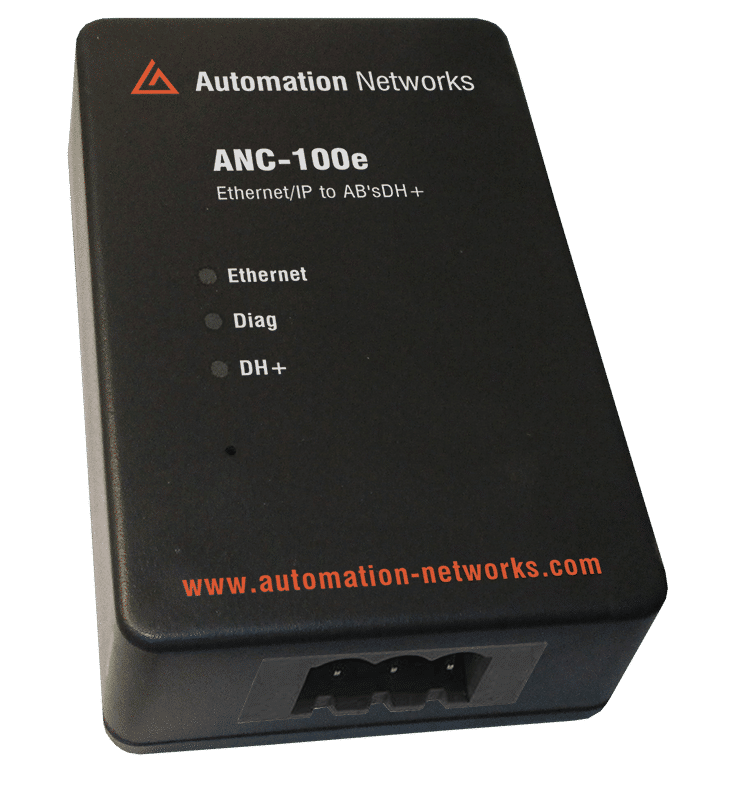
In this blog we review how to leverage the ANC-100e Ethernet to DH+ Converter to create a seamless, high-speed communication bridge, ensuring your legacy assets are fully integrated into your modern SCADA environment
The Legacy Integration in 2026
Modernizing a plant floor often involves a conflict between software capabilities and hardware reality.
AVEVA InTouch provides world-class visualization and object-oriented graphics, but it communicates natively over Ethernet. Conversely, the PLC-5 and SLC 5/04 utilize the Data Highway Plus (DH+) protocol—a proprietary, serial-based network that modern servers cannot "speak" directly.Traditional solutions, such as physical bridge cards or specialized USB cables, are often incompatible with 64-bit server architectures or require the PC to be physically tethered to the machine.
The ANC-100e solves this by acting as a transparent network gateway, allowing AVEVA InTouch to treat legacy DH+ nodes as if they were modern Ethernet devices.
The ANC-100e Advantage
The ANC-100e is a pocket-sized, high-performance bridge that performs protocol translation in real-time. By placing an ANC-100e on the "Blue Hose" network, you enable several immediate operational efficiencies:
- Network-Wide Access: Unlike a local cable, the ANC-100e is an IP-based device. This allows your AVEVA InTouch server to be located anywhere on the plant LAN, away from the electrical noise and vibration of the factory floor.
- Plug-and-Play Discovery: The unit features Auto-Baud and Auto-Node detection. It automatically joins the DH+ network at the correct speed and finds an available node address, preventing the common "Duplicate Node" errors that can crash legacy systems.
- Zero-Downtime Deployment: The converter can be added to an active DH+ network via its 3-pin connector without stopping the PLC or interrupting existing communications.
To connect AVEVA InTouch to the ANC-100e, engineers typically utilize the ABCIP DAServer or the newer AVEVA Operations Integration (OI) Server. These drivers are designed to communicate with Rockwell Logix-based systems over Ethernet. Because the ANC-100e emulates a 1756-ENBT/DHRIO bridge, the AVEVA software "sees" the legacy network as a modern ControlLogix backplane.
Technical Configuration Blueprint
Following the established technical documentation for Automation Networks devices, the integration process is divided into three logical phases.

Phase A: ANC-100e Hardware Setup
- Physical Connection: Attach the DH+ cable to the 3-pin Phoenix connector. Polarity is auto-detected, so wire color order is not a concern.
- IP Configuration: Ensure the ANC-100e has a static IP address on your OT network (Default: 192.168.137.2).
- LED Verification: The DH+ LED should blink every 3 seconds to indicate it has successfully associated with the network.
Phase B: AVEVA OI Server / DAServer Setup
- Add Port: In the System Management Console (SMC), create a new TCP/IP Port.
- Add Bridge: Under the port, add a 1756-ENBT object and assign it the IP address of the ANC-100e.
- Add Module: Under the ENBT, add a 1756-DHRIO module.
- Define the Channel: Configure Channel A to match the DH+ network.
- Add Target PLC: Add the specific PLC-5 or SLC 5/04 object and assign its DH+ node address (octal).
Phase C: InTouch Tag Mapping
- Within AVEVA InTouch, tags are mapped using the Access Name defined in the OI Server.
- Item Name Syntax: Use standard Rockwell syntax (e.g., N7:0 for integers or B3:0/5 for bits).
- Polling Rates: Set your update intervals strategically. While the ANC-100e is fast, the legacy DH+ network operates at 57.6k or 115.2k.
- Avoid overwhelming the "Blue Hose" with excessive sub-second requests.
Phase B: AVEVA OI Server / DAServer Setup
Phase C: InTouch Tag Mapping
Documentation and Compatibility
Integration Type
Specific Resource / Application Note
Purpose
Core Hardware
ANC-100e Ethernet/IP to DH+ Converter User Manual
Initial IP and DH+ setup
Direct Driver
ANC-100e / ANC-120e Wonderware ABCIP DAServer App Note
Step-by-step SMC config
Legacy Middleware
ANC-100e / ANC-120e Wonderware FSGateway (OIGateway) App Note
Connecting via OPC/FSGateway
Modern SCADA
AVEVA ABCIP InTouch HMI Application Note
Tag mapping and InTouch specific setup
General HMI
ANC-100e / ANC-120e HMI Configuration Application Note
Universal protocol bridging concepts
Security and Optimization
In 2026, simply connecting legacy gear to the network isn't enough; it must be secured. Since the ANC-100e acts as an Ethernet gateway, it should be treated with the same security rigors as any other OT asset.
- VLAN Isolation: Keep the ANC-100e and its target PLCs on a dedicated "Legacy OT" VLAN.
- Read-Only Drivers: If your InTouch application is only for monitoring, configure the OI Server connection as Read-Only to prevent unauthorized logic changes to the PLC-5.
- Firewalling: Use a stateful inspection firewall between the AVEVA Server and the ANC-100e to ensure only authorized traffic (Port 44818 for CIP) is allowed.
The ANC-100e provides immediate physical feedback that is invaluable during commissioning.
- Rapid Blinking (DH+ LED): Indicates active data exchange. If InTouch is polling but this LED is not blinking rapidly, check your "Connection Path" in the SMC.
- LED Off (DH+ LED): The network is not connected, or there are no other active devices on the Blue Hose.
- Auto-Baud Delay: Upon power-up, the unit may take several seconds to "listen" to the network and find the correct baud rate before it begins communicating.
Integrating AVEVA InTouch with PLC-5 and SLC 5/04 systems via the ANC-100e is the most efficient way to achieve modern data visibility without the risk of a full controller migration. By following this blueprint, you turn your aging "Blue Hose" networks into active participants in your plant's digital transformation, ensuring that your legacy hardware remains as "smart" as your modern software.
Data Highway Plus to Ethernet (S02)
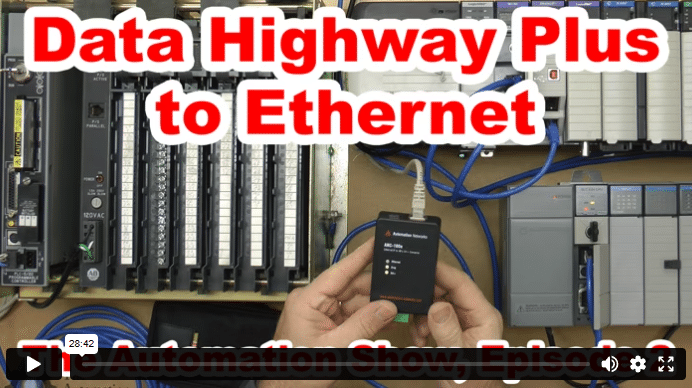
In today’s episode of The Automation Show, I unbox and setup an ANC-100e Data Highway Plus (DH+) to Ethernet Converter Data Highway Plus to Ethernet bridge from Automation Networks. For more information about the show (and how you could win an ANC-100E) check out the “Show Notes” located below the video. The Automation Show, Episode 2 Show Notes: NOTE: Would you like your … Continue readingData Highway Plus to Ethernet (S02)