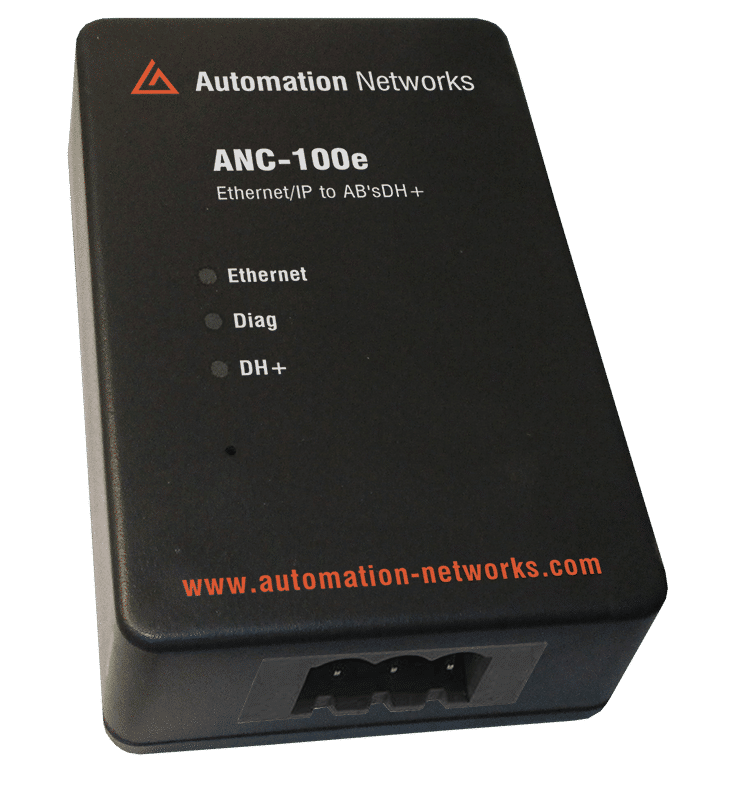
How the ANC-100e Auto-Detect Feature Simplifies DH+ Integration
11981
419_488_71
71427321893
54121381948
91688
741
8888
519_7148
Data Highway Plus (DH+) remains a symbol of reliability—and significant integration headaches. As engineers work to connect decades-old Allen-Bradley PLC-5 and SLC 5/04 controllers to modern Ethernet networks, the physical configuration of node addresses and baud rates often becomes a bottleneck. The ANC-100e Ethernet-to-DH+ Converter solves this through its Auto-Detect feature, a diagnostic breakthrough that eliminates the guesswork from legacy network commissioning.
The DH+ Dilemma: Why Manual Configuration Fails
Data Highway Plus (DH+) is a token-passing network. For it to function, every device must agree on two things: the Baud Rate (57.6k, 115.2k, or 230.4k) and a Unique Node Address (expressed in Octal).
In a perfect world, these settings are documented. In the real world of a factory floor in 2026, those documents are often lost, or labels on the PLC have faded. If you connect a new gateway with the wrong baud rate, you risk "screaming" onto the wire and crashing the entire network. If you pick a duplicate node address, the token-passing stops, and the machines go offline.
The ANC-100e isn't just a protocol bridge; it is a smart diagnostic tool. Unlike older "dumb" converters that require you to set dip-switches before plugging them in, the ANC-100e features an Auto-Detect utility within its web-based configuration interface.
How Auto-Detect Works:
Instead of sending data immediately, the ANC-100e enters a "Listen-Only" mode. It monitors the electrical pulses on the DH+ trunk to identify the timing of the existing packets.
- Baud Rate Identification: It automatically snaps to the correct network speed.
- Node Discovery: It maps out every active node currently on the wire.
- Conflict Prevention: It suggests a "Safe Node" address for itself that isn't currently in use by a PLC or HMI.
Manual vs. Auto-Detect Setup
Configuration Task
Manual Setup (Traditional)
ANC-100e Auto-Detect
Time/Risk Savings
Baud Rate Selection
Requires checking PLC dip-switches.
Automatic "Snapping" via software.
Eliminates network crashes.
Node Mapping
Must ping or browse every potential node.
Instant list of all active Octal addresses
Saves 1–2 hours of manual audit.
DH+ Termination
Manual resistor check.
Built-in software-selectable termination.
Simplified physical installation
Commissioning Time
45–90 Minutes
< 10 Minutes
85% Faster deployment.
Bridging to Modern Software (KEPServerEX & Beyond)
Once the ANC-100e has handled the "dirty work" of the serial connection, it presents itself as a ControlLogix Virtual Backplane via Ethernet. This is where the simplicity pays off for software integration:
No Legacy Drivers: You don't need the old RSLinx "1784-U2DHP" drivers.
Standard CIP Routing: In KEPServerEX or Studio 5000, you simply route your communications through the IP of the ANC-100e.
Seamless Polling: Because the ANC-100e has already optimized its timing to the DH+ baud rate it detected, your communication is stable and "jitter-free" from the moment you go online.
Making DH+ Simple with the ANC-100E Auto-Detect

To revitalize an old PLC-5 or SLC 5/04 system, follow this streamlined workflow using the ANC-100e:
Phase 1: Physical Connection
Connect the 3-pin DH+ connector to your Blue Hose and plug the Ethernet port into your plant switch. Power the unit with a standard 12-24VDC supply.
Phase 2: Launching the Web Interface
Access the ANC-100e via its default IP (typically 192.168.0.230). Navigate to the DH+ Configuration tab.
Phase 3: The "Magic" Button
Click "Auto-Detect." Within seconds, the gateway will populate a table showing:
- The detected network speed (e.g., 57.6k).
- A list of Octal addresses (e.g., Node 01, Node 15, Node 22).
- The ANC-100e will then highlight an available address (e.g., Node 00) and ask if you want to apply these settings.
Bridging to Modern Software (KEPServerEX & Beyond)
Once the ANC-100e has handled the "dirty work" of the serial connection, it presents itself as a ControlLogix Virtual Backplane via Ethernet. This is where the simplicity pays off for software integration:
No Legacy Drivers: You don't need the old RSLinx "1784-U2DHP" drivers.
Standard CIP Routing: In KEPServerEX or Studio 5000, you simply route your communications through the IP of the ANC-100e.
Seamless Polling: Because the ANC-100e has already optimized its timing to the DH+ baud rate it detected, your communication is stable and "jitter-free" from the moment you go online.
The "Lost Documentation" Rescue
Imagine a maintenance lead in a Mexico City plant trying to pull data from a legacy SLC 5/04 to a new Ignition SCADA system. The original programmer is gone, and the PLC's key is lost.
Without Auto-Detect, the lead would have to guess the baud rate—potentially taking down the production line if they guess wrong. With the ANC-100e, they simply click a button, see that the network is running at 230.4k, and identify that the PLC is at Node 15. The "challenge" is solved in minutes without a single minute of downtime.
The Auto-Detect feature isn't just for day one. It serves as a continuous health check for your DH+ network:
Missing Nodes: If a PLC disappears from the Auto-Detect list, you know you have a local hardware failure or a broken Blue Hose segment.
Noise Detection: If the ANC-100e struggles to "Auto-Detect" despite a physical connection, it signals electrical noise or poor grounding on the RS-485 line.
DH+ Doesn't Have to Be Difficult
The ANC-100e changes the narrative of legacy integration. By moving the complexity of DH+ configuration into an automated, software-driven process, it allows engineers to focus on what matters: the data.
Whether you are managing a single SLC 5/04 or a massive plant-wide PLC-5 network, the Auto-Detect feature makes the transition to Ethernet simple, safe, and incredibly fast. In the world of 2026 automation, the ANC-100e is the bridge that finally makes "Blue Hose" feel like "Plug and Play."
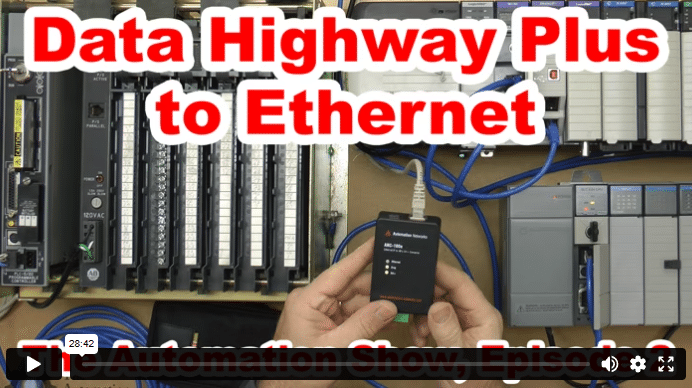
Data Highway Plus to Ethernet (S02)
In today’s episode of The Automation Show, I unbox and setup an ANC-100e Data Highway Plus (DH+) to Ethernet Converter Data Highway Plus to Ethernet bridge from Automation Networks. For more information about the show (and how you could win an ANC-100E) check out the “Show Notes” located below the video. The Automation Show, Episode 2 Show Notes: NOTE: Would you like your … Continue readingData Highway Plus to Ethernet (S02)