11981
419_488_71
71427321893
54121381948
91688
741
8888
519_7148
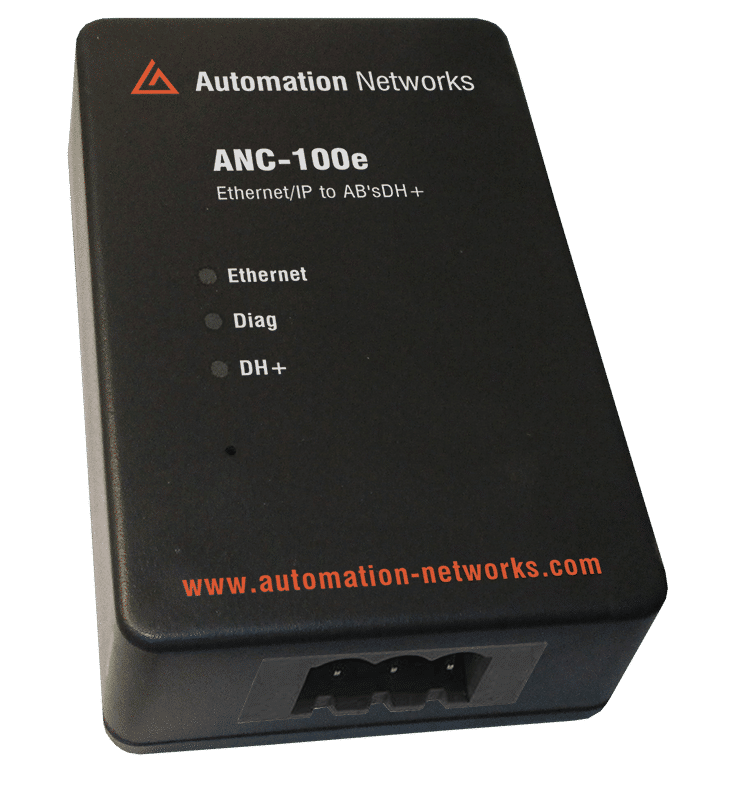
Thousands of reliable Allen-Bradley PLC-5 and SLC 5/04 controllers are still running critical processes, but they lack native Ethernet ports. This guide explores how to use KEPServerEX in conjunction with high-speed Ethernet-to-DH+ converters like the ANC-100e, creating a seamless bridge that brings legacy data into modern SCADA, MES, and IIoT platforms
DH+ Still Relevant
The Data Highway Plus (DH+) protocol was the backbone of factory automation for decades. While robust, its 57.6k to 230.4k baud rates are glacial compared to modern 1Gbps Ethernet. As companies move toward centralized data collection, the "Rip and Replace" strategy for these controllers is often too expensive or risky due to the complexity of the original ladder logic.
The solution is Bridging. By allowing a modern OPC server like KEPServerEX to communicate with these nodes over Ethernet, you gain the benefits of modern data analytics without touching a single line of legacy code.
KEPServerEX + ANC-100e
To bridge Ethernet to DH+, you need two components:
- Software: KEPServerEX (using the Allen-Bradley ControlLogix Ethernet Driver).
- Hardware: A generic Ethernet-to-DH+ converter (like the ANC-100e) that acts as a CIP (Common Industrial Protocol) bridge.
The converter sits on the DH+ network and presents itself to the network as a "Virtual Chassis." KEPServerEX sends Ethernet/IP packets to the converter, which then "unwraps" them and sends the appropriate DH+ command to the target PLC-5 or SLC 5/04.
Configuration Table: Connection Settings
Prameter
Value / Example
Technical Note
KEPServer Driver
Allen-Bradley ControlLogix Ethernet
Required for CIP routing
Converter IP
192.168.0.230
The static IP of the gateway hardware.
Routing Path
1, [Slot], 2, [DH+ Node]
The CIP path used by KEPServer to "hop" protocols.
PLC-5 Address
$N7:0$
Standard integer file address
SLC 5/04 Address
$B3:0/5$
Bit address within a binary file
Scan Rate
500ms - 2000ms
Recommended to avoid DH+ congestion
Step-by-Step Implementation
Phase 1: Gateway Configuration
Before opening KEPServer, the hardware gateway must be configured. Most modern converters utilize a web-based interface.
- Assign IP: Ensure the gateway is on the same subnet as your KEPServer host.
- Baud Rate: Match the DH+ speed of your existing network (typically 57.6k).
- Node Address: Assign the gateway a unique DH+ node address that does not conflict with existing PLCs or HMIs.
Phase 2: KEPServerEX Channel Setup
In KEPServerEX, you do not use the "legacy" serial drivers. Instead, you use the ControlLogix Ethernet Driver because the gateway "tunnels" the data using modern CIP protocols.
- Create Channel: Select the Allen-Bradley ControlLogix Ethernet driver.
- Device Setup: When adding a device, select the model that matches your legacy controller (e.g., PLC-5 or SLC 500 Fixed/Modular).
- The ID (Routing): This is the most critical step. You must use the CIP Routing Path. For example:
192.168.0.230, 1, 0, 2, 15.
192.168.0.230: IP of the converter.
1, 0: Backplane and slot.
2, 15: DH+ port and the Octal node address of the PLC.
- 192.168.0.230, 1, 0, 2, 15.
192.168.0.230: IP of the converter.
1, 0: Backplane and slot.
2, 15: DH+ port and the Octal node address of the PLC.
Optimization for High-Tag Counts.
DH+ is a "Token Passing" network. If KEPServer requests too much data too fast, it will consume all the "bandwidth" on the Blue Hose, causing existing HMIs or Peer-to-Peer messaging to fail.
Data Grouping: Always attempt to read contiguous blocks of data (e.g., reading N7:0 through N7:50 in one go).
Tag Statistics: Use the KEPServerEX System Tags to monitor "Scan Time." If your scan time exceeds your request rate, your data is "Stale."
Exception Reporting: Only send data to your top-level HMI or Database when it changes by using Deadbanding at the OPC level.
SLC 5/04 to MQTT/Cloud, a study case
A facility with 10 SLC 5/04 units controlling remote pump stations. By using this bridge, an engineer can:
- Connect all 10 SLCs to a single ANC-120e or ANC-100e.
- Use KEPServerEX to aggregate the data.
- Use the IoT Gateway plug-in in KEPServer to push that legacy pump data directly to Azure IoT Hub or AWS IoT Core via MQTT.
This transforms a 30-year-old controller into a modern IIoT edge device without replacing a single wire.
Security Considerations
Legacy protocols like DH+ have no concept of encryption or "Users." The bridge provides a critical security layer:
Network Segmentation: Place the Ethernet side of the bridge on a dedicated "Industrial DMZ" or VLAN.
Access Control: Use KEPServer’s Security Policies to restrict which users can "Write" values to the legacy PLCs.
Audit Logs: Monitor who is accessing the legacy data through the KEPServer event logger.
Bridging KEPServerEX to legacy PLC-5s and SLC 5/04s via an Ethernet-to-DH+ converter is the most cost-effective "Middle Way" for modern manufacturing. It respects the reliability of the past while enabling the connectivity of the future. By following proper CIP routing and polling optimization, you can ensure your legacy assets remain a productive part of your digital enterprise for years to come.
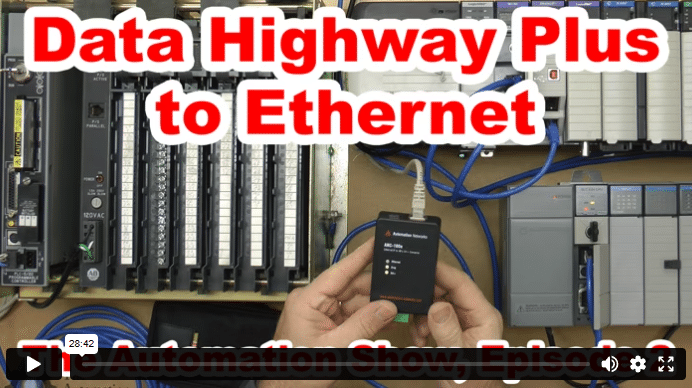
Data Highway Plus to Ethernet (S02)
In today’s episode of The Automation Show, I unbox and setup an ANC-100e Data Highway Plus (DH+) to Ethernet Converter Data Highway Plus to Ethernet bridge from Automation Networks. For more information about the show (and how you could win an ANC-100E) check out the “Show Notes” located below the video. The Automation Show, Episode 2 Show Notes: NOTE: Would you like your … Continue readingData Highway Plus to Ethernet (S02)