
Optimizing Ignition HMI Modbus RTU to OPC UA Gateway

11981
419_488_71
71427321893
54121381948
91688
741
8888
519_7148

The reliance on Modbus RTU for field-level communication remains a double-edged sword. Ignition HMI Modbus RTU to OPC UA Gateway

While its simplicity and hardware support are unrivaled, its sequential serial nature can paralyze a modern Ignition HMI if not properly architected. This guide details how to bypass these bottlenecks by using a generic OPC UA to Modbus Gateway, focusing on high-performance optimization and secure data mapping for VFDs and pumps.

Why Ignition Needs a Buffer

Modern HMIs like Ignition thrive on high-speed, parallel data. Serial networks (RS-485), however, are inherently sequential. In a standard "direct-to-PLC" or "direct-to-HMI" setup, the software must poll each Modbus slave one by one. If you have 20 Variable Frequency Drives (VFDs) on a single link, a single device failure or a slow response can cause a "timeout cascade," leading to stale data across your entire dashboard.

By introducing a generic OPC UA to Modbus Gateway, you decouple the HMI from the serial physics. The gateway lives at the "Edge," handling the dirty work of constant serial polling, while providing Ignition with a clean, high-speed OPC UA interface.

VFD and Pump Examples

To understand the power of this optimization, let’s look at how common industrial assets are mapped through a gateway. Unlike raw Modbus, which only gives you numbers, the OPC UA bridge allows you to organize these into logical "Objects."

Example A: The Industrial VFD (Variable Frequency Drive)

For a standard VFD (like a PowerFlex or Danfoss unit), you need a mix of high-speed control and diagnostic monitoring.

Data point

Modbus Register

Data Type

Scaling

Control word

48193

Uint16

Bitmask

Freq. Command

48194

Int16

x10 (Hz)

Output Freq.

48451

Int16

x10 (Hz)

Motor Current

48452

Uint16

x100 (Amps)

Bus Voltage

48453

Uint16

x1 (Volt)

Example B: The Smart E-Pump

Industrial pumps (like Grundfos or Wilo units) often provide advanced diagnostics that can overwhelm a serial link if polled too frequently.

Data point

Modbus Register

Data Type

Scaling

Pump Status

40001

Uint16

Enum

Actual Head

40102

Int16

x10 (Hz)

Flow rate

40105

Int32

x100$ (m3/h)

Operating Hours

40200

Uint32

x1 (Hour)

High-Performance Polling Strategies

    Block Reading (Contiguous Registers) The single most effective way to speed up Modbus is to read registers in blocks.

  • The Wrong Way: Configuring the gateway to read Register 40001, then 40102, then 40200 separately. This requires three separate "Requests" and "Responses."

  • The Right Way: Configure the gateway to read a single block from 40001 to 40200. Even though you are reading unused registers in between, one large packet is significantly faster than three small ones because it eliminates the "Silent Time" required between serial messages.

    Multi-Port Parallelism

    Generic OPC UA gateways often come with 2 or 4 RS-485 ports. Use them. If you have 40 pumps, do not put them all on Port 1. Put 10 pumps on each of the 4 ports. The gateway will poll all four ports simultaneously, effectively cutting your total scan time by 75%

Subscription vs. Polling

Ignition HMI Modbus RTU to OPC UA Gateway

Once your data is in the gateway, you must optimize how Ignition retrieves it

  • Leased Scan Classes: In Ignition, use "Leased" scan classes for diagnostic data like "Operating Hours" or "Serial Numbers." This ensures Ignition only polls that data when a user is actually looking at the Maintenance Screen.

  • Deadbanding: Set a "Report by Exception" deadband in the gateway. For example, do not send a new "Motor Current" value to Ignition unless it changes by more than 0.1 Amps. This keeps your Ethernet traffic clean and your Ignition database from swelling with redundant data.

Security and Technical Integrity in 2026

Modbus RTU has no native security—it is "clear text" and unauthenticated. By using an OPC UA Gateway, you create a security perimeter:

  • Encryption: Use AES-256 encryption between the Gateway and Ignition. Even if someone taps your factory Ethernet, they cannot see your process values.

  • User Authentication: Require Ignition to provide a signed certificate and a username/password to access the OPC UA server.

  • Read-Only "Air Gap": Many gateways allow you to set specific Modbus registers as "Read Only" at the hardware level. This ensures that even if an HMI user makes a mistake, they cannot physically stop a pump or change a VFD setpoint.
  • Troubleshooting the "Last Mile"

    If you see "Stale" or "Quality: Bad" tags in Ignition, the issue is almost always at the Serial (RTU) level. Use the gateway’s built-in diagnostics to check for:

    CRC Errors: Usually caused by poor grounding or lack of a 120-ohm termination resistor at the end of the RS-485 line.

    Parity Mismatch: Ensure the Gateway and the VFD are both set to exactly the same (e.g., 19200 Baud, 8 Data Bits, Even Parity, 1 Stop Bit).

    By moving away from direct serial polling and embracing an OPC UA to Modbus Gateway architecture, you transform a fragile serial network into a robust, enterprise-grade data source. This strategy ensures that your Ignition HMI provides the sub-second responsiveness required for modern operations, while extending the life and utility of your legacy VFDs and Pumps.


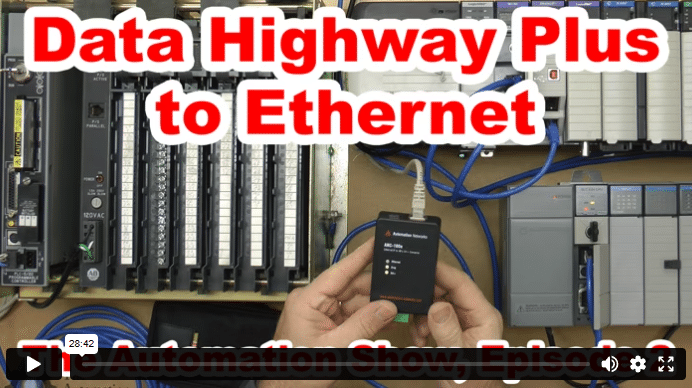
    Data Highway Plus to Ethernet (S02)

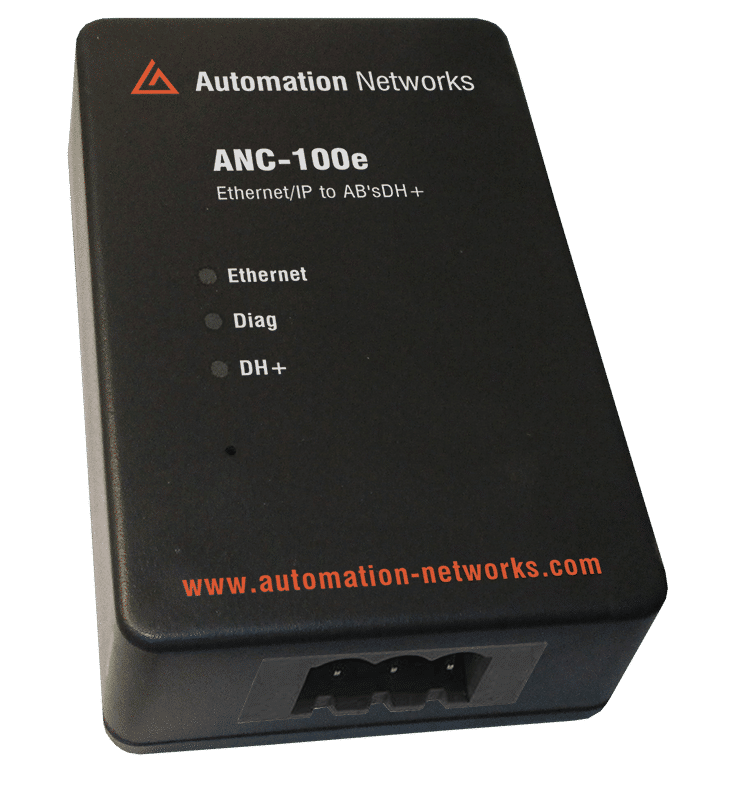
    In today’s episode of The Automation Show, I unbox and setup an ANC-100e  Data Highway Plus (DH+) to Ethernet Converter Data Highway Plus to Ethernet bridge from Automation Networks. For more information about the show (and how you could win an ANC-100E) check out the “Show Notes” located below the video. The Automation Show, Episode 2 Show Notes: NOTE: Would you like your … Continue readingData Highway Plus to Ethernet (S02)
    The Automation Blog

     2Comments 

    Scroll to Top