
ANC-100e: Data Highway Plus (DH+) to Ethernet Converter
- Industrial DH+ to Ethernet Converter: Compact, high-performance DH+ to Ethernet converter providing EtherNet/IP communication to legacy Allen-Bradley Data Highway Plus (DH+) networks.
- Standalone Hardware Alternative: A standalone alternative to chassis-based 1756-DHRIO setups—no extra racks.
- Legacy Bridge Replacement: Modernizes legacy 1770-KF2 and 1785-ENET interfaces for PLC-5 and SLC 5/04 processors.
- Smart Auto-Detection: Web-based setup with automatic DH+ baud rate detection (57.6k, 115.2k, 230.4k) and auto-polarity correction for error-free wiring.
- SCADA & HMI Support: Connect your legacy SLC5/04 and PLC5 processors on a DH+ network directly to modern Ethernet-based PanelView displays.
- Robust Hardware & Protection: DIN-rail mountable with ultra-low power draw (~35 mA @ 24VDC) and integrated TVS surge protection.
- Risk-Free Guarantee: Backed by a 30-day money-back satisfaction guarantee, zero restocking fees, and a lifetime warranty.
Need a portable USB programming solution instead? Check out our ANC-120e USB to DH+ Cable.
$1,195.00
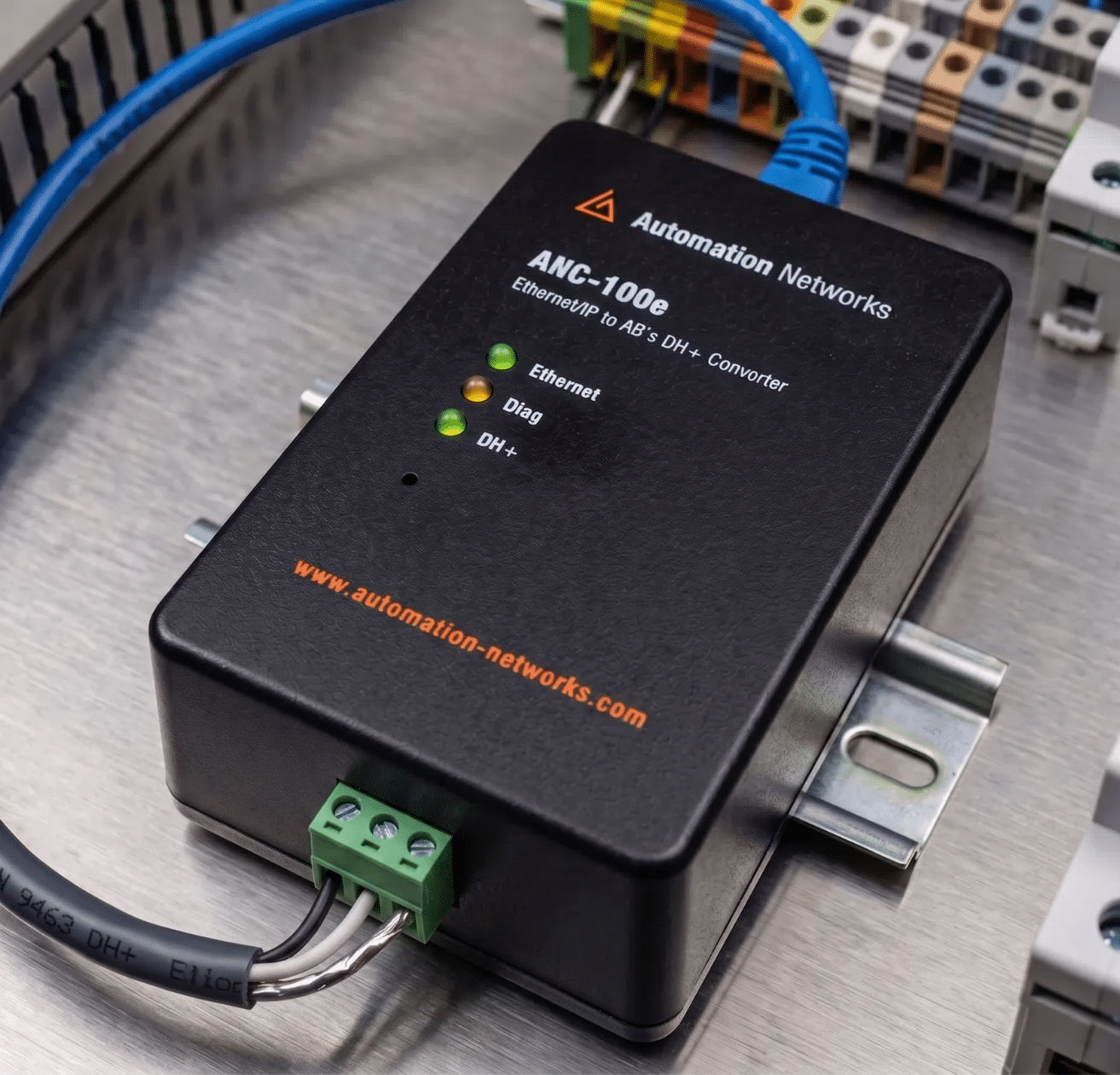
Keep Your PLC-5 and SLC 5/04: High-Performance DH+ to Ethernet Converter
ANC-100e — The Simple Way to Put Your Existing DH+ Network on Ethernet.
Modernizing your Allen-Bradley infrastructure doesn’t require costly PLC replacements or complex chassis workarounds. The ANC-100e provides a dedicated DH+ to Ethernet converter gateway that allows connectivity to PLC-5 and SLC 5/04 data quickly, without modifying your ladder logic or investing in surplus hardware.
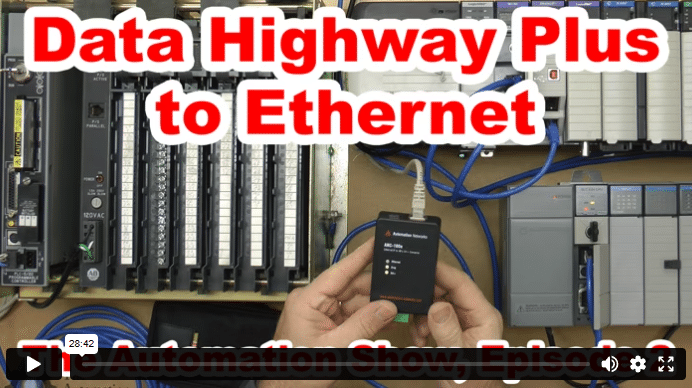
Featured Video: Step-by-Step ANC-100e Setup Guide by The Automation Blog
Watch Shawn Tierney demonstrate live communication, RSLinx integration, and DH+ auto-detection.
| Feature / Specification | Automation Networks ANC-100e | ProSoft (AN-X4 / AN-X2) | Rockwell 1756-DHRIO |
| Software Setup & Mapping | ✅ Transparent (No Tag Mapping Tables) | Web interface + mode configuration files | Requires RSLinx / Studio 5000 routing |
| DH+ configuration auto-detection | ✅ Yes | No | No |
| Operating Temperature Range | ✅ -40°C to +85°C (Extreme Industrial) | 0°C to +50°C (Standard) | 0°C to +60°C (Standard) |
| Price Point & Lifecycle Status | ✅ $1,195 USD (Active / Lifetime Warranty) | AN-X4 ~$3,400–$4,800 (varies by distributor) (AN-X2 discontinued Apr 2023) | Discontinued (surplus market only) |
Key Technical Advantages of the ANC-100e DH+ to Ethernet Converter
- Smart Triple Auto-Detection Engine: Automatically detects DH+ network baud rate (57.6k, 115.2k, 230.4k), auto-corrects reversed wiring polarity, and selects an available DH+ node address on startup.
- Seamless Transparent Bridging: Unlike modules requiring extensive tag-mapping tables, this DH+ to Ethernet converter communicates directly via native Rockwell ControlLogix Ethernet/IP drivers in RSLinx, Kepware, Ignition, FactoryTalk View, and AVEVA Wonderware.
- PanelView Upgrades: Modernize obsolete DH+ PanelView screens to EtherNet/IP PanelView Plus 6 & 7 terminals.
- Extreme Industrial Hardening: Built to withstand demanding factory floor conditions with an operating range of -40°C to +85°C and integrated TVS surge protection.
- Risk-Free Guarantee: Covered by our Lifetime Hardware Replacement Warranty, zero restocking fees, and a 30-day money-back satisfaction guarantee.
Ready to put your DH+ network on Ethernet without replacing your PLCs?
Order Your ANC-100e TodayOverview: ANC-100e DH+ to Ethernet Converter
Seamless RSLinx & FactoryTalk Linx Integration
The ANC-100e DH+ to Ethernet converter enables direct Ethernet/IP access to legacy DH+ stations for all major SCADA, HMI, and PLC programming packages. It communicates using standard Rockwell Ethernet/IP drivers (RSLinx Classic & FactoryTalk Linx) without requiring proprietary drivers, virtual COM ports, or tag-mapping tables. It is also fully compatible with Kepware ControlLogix Ethernet drivers, AVEVA / Wonderware, and Ignition.
Dedicated Replacement for Rockwell 1756-DHRIO & ProSoft Gateways
The ANC-100e provides a compact, cost-effective standalone alternative to bulky Rockwell 1756 ControlLogix chassis configurations (1756-DHRIO / 1756-ENBT), ProSoft AN-X2 / AN-X4 modules, and obsolete legacy bridges like the 1770-KF2 and 1785-ENET. It allows engineers to extract PLC-5 and SLC 5/04 data over modern plant Ethernet.
Highlights of the ANC-100e DH+ to Ethernet Converter:
- Zero Proprietary Drivers: Configures directly via native ControlLogix Ethernet/IP drivers (
AB_ETHIP/AB_ETH) in RSLinx Classic and FactoryTalk Linx. - Broad SCADA/HMI Compatibility: Connects with FactoryTalk View, Ignition, Kepware, AVEVA Wonderware, and OPC servers.
- Economical Standalone Bridge: Full-featured industrial DH+ to Ethernet converter gateway at $1,195 USD—eliminating surplus rack and power supply costs.
- PanelView Plus Migration: Migrate legacy DH+ PanelViews (see our PanelView Plus migration guide) to EtherNet/IP PanelView Plus 6 & 7 terminals.
- Up to 5 IP Addresses: Assign up to 5 IP addresses, one per DH+ PLC. For time-sensitive applications, plan on no more than 1 EtherNet/IP device and 4 DH+ devices per ANC-100e.
- Triple Auto-Detection Engine: Automatically detects DH+ baud rates (57.6k, 115.2k, 230.4k), auto-corrects reversed wiring polarity, and assigns an available DH+ node address.
- Extreme Industrial Hardening: Built for demanding environments with an operating temperature range of -40°C to +85°C and integrated TVS surge protection.
- Low Power Consumption: Energy-efficient design drawing only ~35 mA @ 24VDC.
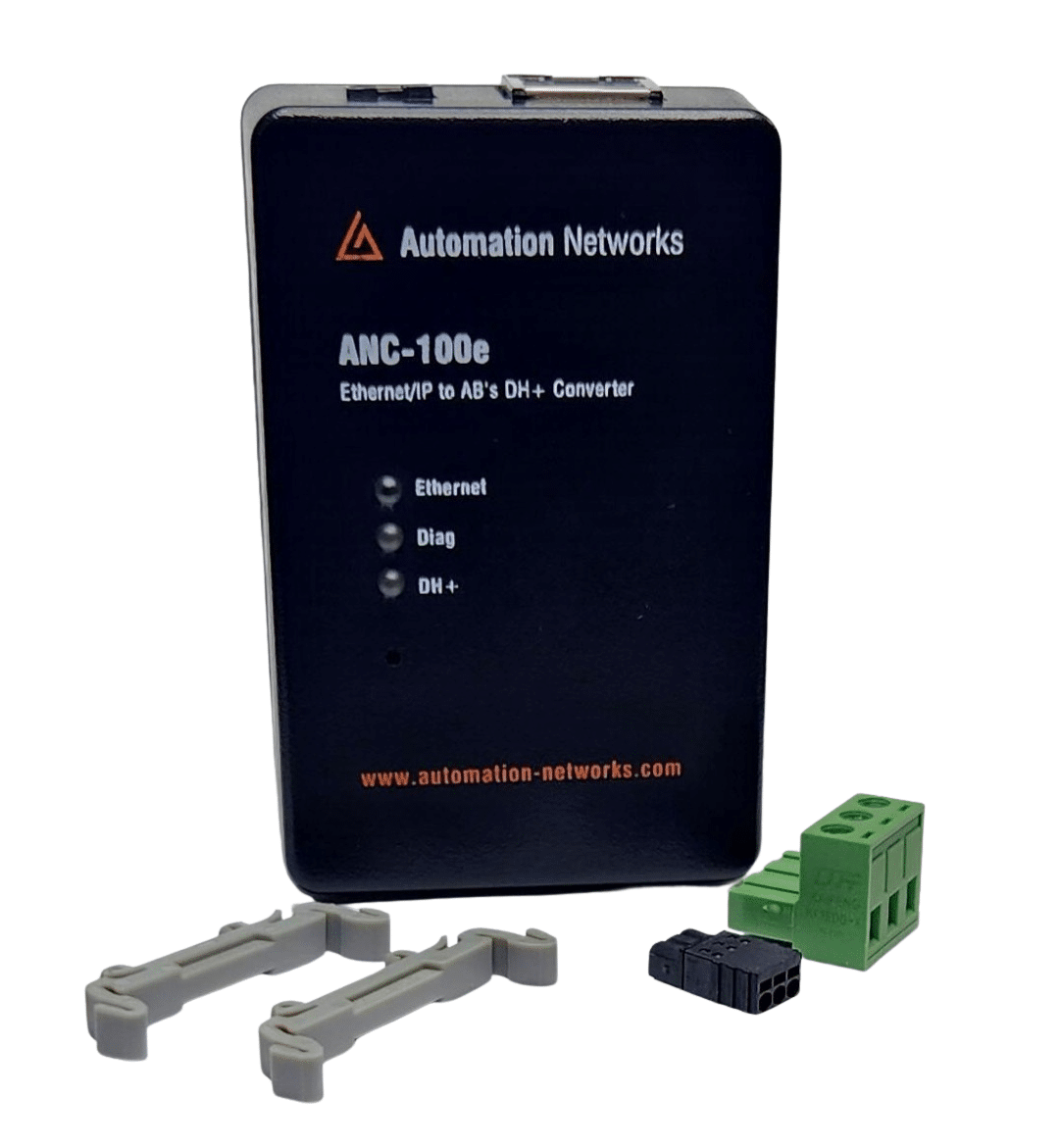
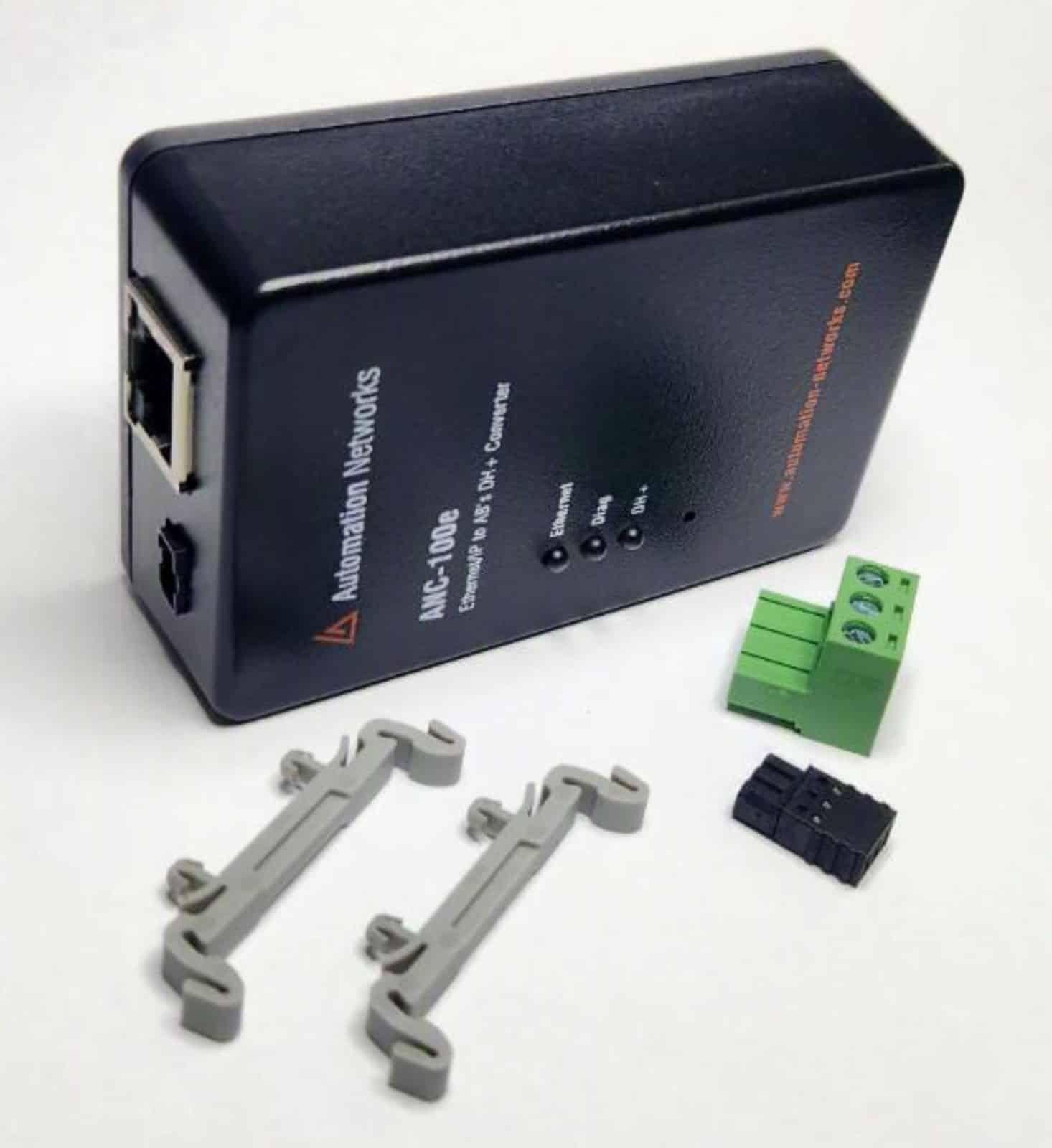
- Flexible Mounting & Cabling: DIN-rail and panel mountable; includes both a 3-pin Phoenix connector and an 8-pin mini-DIN cable for direct PLC front-port connection.
Setup guides: ANC-100e User’s Guide · Kepware · Wonderware · Ignition · PanelView Plus
ANC-100e Data Highway Plus (DH+) to Ethernet Converter App Notes
| Category | Application Note | |
| User manual | ANC-100e Ethernet/IP to DH+ Converter User Manual | Download PDF |
| Rockwell / RSLinx / FactoryTalk Integration | ANC-100e RSLinx ControlLogix Ethernet/IP to DH+ Application Note | Download PDF |
| Rockwell / RSLinx / FactoryTalk Integration | ANC-100e / ANC-120e RSLinx Enterprise / FactoryTalk View Configuration with SLC 5/04 & PLC-5 Application Note | Download PDF |
| Rockwell / RSLinx / FactoryTalk Integration | ANC-100e SLC 5/05 Ethernet Messaging to SLC 5/04 on DH+ Application Note | Download PDF |
| SCADA & HMI Platforms Ignition (Inductive Automation) | ANC-100e / ANC-120e Ignition HMI to SLC 5/04 Application Note | Download PDF |
| SCADA & HMI Platforms Ignition (Inductive Automation) | ANC-100e / ANC-120e Ignition HMI to PLC-5 Application Note | Download PDF |
| Wonderware / AVEVA | ANC-100e / ANC-120e Wonderware ABCIP DAServer Application Note | Download PDF |
| Wonderware / AVEVA | ANC-100e / ANC-120e Wonderware FSGateway (OIGateway) Application Note | Download PDF |
| Wonderware / AVEVA | AVEVA ABCIP InTouch HMI Application Note | Download PDF |
| Citect / Schneider | ANC-100e / ANC-120e Citect 2015 Application Note | Download PDF |
| Citect / Schneider | ANC-100e / ANC-120e Citect 2016 Application Note | Download PDF |
| Kepware / OPC / Middleware | ANC-100e / ANC-120e Kepserver Ethernet/IP to DH+ Application Note | Download PDF |
| Kepware / OPC / Middleware | ANC-100e / ANC-120e Matrikon OPC Server Application Note | Download PDF |
| Kepware / OPC / Middleware | ANC-100e / ANC-120e IGS (Industrial Gateway Server) Application Note | Download PDF |
| Other HMI Platforms | ANC-100e / ANC-120e PeakHMI Application Note | Download PDF |
| Other HMI Platforms | ANC-100e / ANC-120e TopServer Application Note | Download PDF |
| PanelView Integration | PanelView Plus 6 DH+ Messaging with ANC-100e Application Note | Download PDF |
| PanelView Integration | PanelView Plus 7 DH+ Messaging with ANC-100e Application Note | Download PDF |
| Specialized Drivers & Tools | ANC-100e / ANC-120e Cyberlogic DHX ControlLogix Ethernet/IP to DH+ Application Note | Download PDF |
| General HMI Configuration | ANC-100e / ANC-120e HMI Configuration Application Note | Download PDF |
FAQS
How do I configure RSLinx Classic or FactoryTalk Linx to program PLC-5 and SLC 5/04 over Ethernet?
The ANC-100e allows you to use standard Rockwell Ethernet drivers without installing third-party software or virtual COM ports.
Quick Setup in RSLinx Classic:
- Open RSLinx Classic and go to Communications → Configure Drivers.
- From the “Available Driver Types” dropdown, select Ethernet devices (AB_ETH) or EtherNet/IP Driver (AB_ETHIP) and click Add New.
- Enter the IP address assigned to your ANC-100e.
- Open RSWho, expand the new driver, and drill down through the virtual backplane (Slot 1 → DH+ channel).
- All active PLC-5 and SLC 5/04 nodes will populate automatically. You can now go online, upload, download, and monitor programs in RSLogix 5 and RSLogix 500.
How do I connect my ANC-100e with Kepware KEPServerEX to PLC-5 and SLC 5/04 on DH+?
The ANC-100e connects your Ethernet-based KEPServerEX directly to all nodes on your Allen-Bradley DH+ network without requiring third-party drivers or RSLogix software. By emulating a standard ControlLogix Gateway, KEPServerEX routes messages directly to legacy PLC-5 and SLC 5/04 processors.
Note: All read/write message instructions must originate from the Ethernet side and be directed toward target DH+ node addresses. For visual walkthroughs, download the complete KEPServerEX Application Note (PDF).
Pre-Requisites:
- ANC-100e is powered and connected to the Ethernet LAN and DH+ network (no PC driver installation required).
- Host PC network adapter configured on the same IP subnet as the ANC-100e.
Configuration Steps:
- Open KEPServerEX, right-click in the channel window, and select New Channel.
- Name the channel (e.g., DHPlus_Bridge) and click Next.
- Under “Device Driver”, select Allen-Bradley ControlLogix Ethernet and click Next.
- Select your host network adapter from the dropdown and click Next through default optimization screens to Finish.
- Select the new channel and click Click to add a device.
- Under “Device Model”, select DH+ Gateway: SLC 5/04 (or DH+ Gateway: PLC-5) and click Next.
- Under “Device ID”, enter the routing path: <ANC100e_IP_Address>, 1, 1. A. <Target_DH+_Node_Octal> (e.g., 192.168.0.10, 1, 1. A. 02).
- Keep default timing/scan settings and click Finish.
- Add a static tag (e.g., Name: Tag1, Address: N7:0, Data Type: Short/Word) and test communication via Tools → OPC Quick Client.
See our full KEPServerEX guide for step-by-step screenshots.
How does the ANC-100e compare to ProSoft AN-X2 / AN-X4 and Rockwell 1756-DHRIO chassis?
The ANC-100e serves as a direct, standalone alternative dedicated to EtherNet/IP-to-DH+ communication, with no ControlLogix chassis or extra modules required.
Key ANC-100e Advantages:
- Upfront Cost: Priced at $1,195 USD vs. about $3,400–$4,800 for a ProSoft AN-X4 (varies by distributor). The 1756-DHRIO is discontinued and also needs a ControlLogix chassis, power supply and Ethernet module.
- Zero Chassis Footprint: Compact DIN-rail mount unit replaces multi-slot racks, power supplies, and bridge cards.
- Smart Triple Auto-Detection: Auto DH+ Baud Rate (57.6k, 115.2k, 230.4k), Auto-Polarity correction, and automatic free node assignment.
- Extreme Temperature Range: Rated for industrial environments from -40°C to +85°C (vs. standard 0°C to 60°C).
- HMI Migration: Migrate legacy DH+ PanelViews to EtherNet/IP PanelView Plus 6/7 terminals. Assign up to 5 IP addresses, one per DH+ PLC.
- Warranty & Availability: Backed by an industry-exclusive Lifetime Warranty, 30-day money-back satisfaction guarantee (zero restocking fees), and in-stock units ready to ship.
How does the ANC-100e compare to RTA (Real Time Automation) 460ETCDHM Gateways?
While RTA 460ETCDHM gateways require creating and maintaining extensive internal tag-mapping tables to exchange data between Ethernet/IP and DH+, the ANC-100e operates as a true transparent bridge.
Key Differences:
- No Tag Mapping Tables: ANC-100e uses native Allen-Bradley ControlLogix drivers in RSLinx, FactoryTalk Linx, Kepware, and Ignition. You address PLC registers (e.g.,
N7:0,F8:0) directly from your client software. - Native PLC Programming: Allows direct program upload/download and online monitoring with RSLogix 5 and RSLogix 500 over Ethernet.
- Plug-and-Play Wiring: Automatic baud rate and polarity detection eliminate manual DIP switch troubleshooting.
- Complete Package: Includes both the 3-pin Phoenix connector and an 8-pin mini-DIN programming port cable in the box.
Do I need to modify my existing PLC-5 or SLC 5/04 ladder logic to use the ANC-100e?
No. Zero ladder logic modifications are required.
The ANC-100e acts as a transparent network bridge. Your legacy processors continue executing their existing control programs without changes to communication rungs, MSG instructions, or memory mapping.
- Direct Register Access: External SCADA, HMIs, and PCs poll integer (N), binary (B), and floating point (F) data tables directly over Ethernet.
- Peer-to-Peer Integrity: Existing DH+ communications between legacy PLCs continue running simultaneously without interruption.
Can I replace an obsolete DH+ PanelView terminal with a modern EtherNet/IP PanelView Plus?
Yes. The ANC-100e is designed specifically to bridge modern EtherNet/IP PanelView Plus 6 and PanelView Plus 7 terminals to legacy PLC-5 and SLC 5/04 processors on Data Highway Plus.
- Up to 5 IP Addresses: Assign up to 5 IP addresses to one ANC-100e, one per DH+ PLC. For a responsive HMI, plan on no more than 1 EtherNet/IP device and 4 DH+ devices per ANC-100e. Step-by-step: PanelView Plus migration guide.
- FactoryTalk View ME: In your FactoryTalk View ME project communication setup (RSLinx Enterprise / FactoryTalk Linx), configure the shortcut to point to the ANC-100e IP address and route to the target DH+ node address.
ANC-100e Data Highway Plus (DH+) to Ethernet Converter: Technical Specifications
| Technical Specification | ANC-100e Details |
|---|---|
| Target PLC Compatibility: | Allen-Bradley PLC-5 (all models) & SLC 5/04 processors on Data Highway Plus (DH+) |
| Network Emulation & Drivers: | Emulates ControlLogix Gateway (1756-ENBT / 1756-DHRIO). Uses native Rockwell drivers (AB_ETHIP / AB_ETH) in RSLinx, FactoryTalk Linx, Kepware & Ignition. |
| Physical Ports & Connectors: |
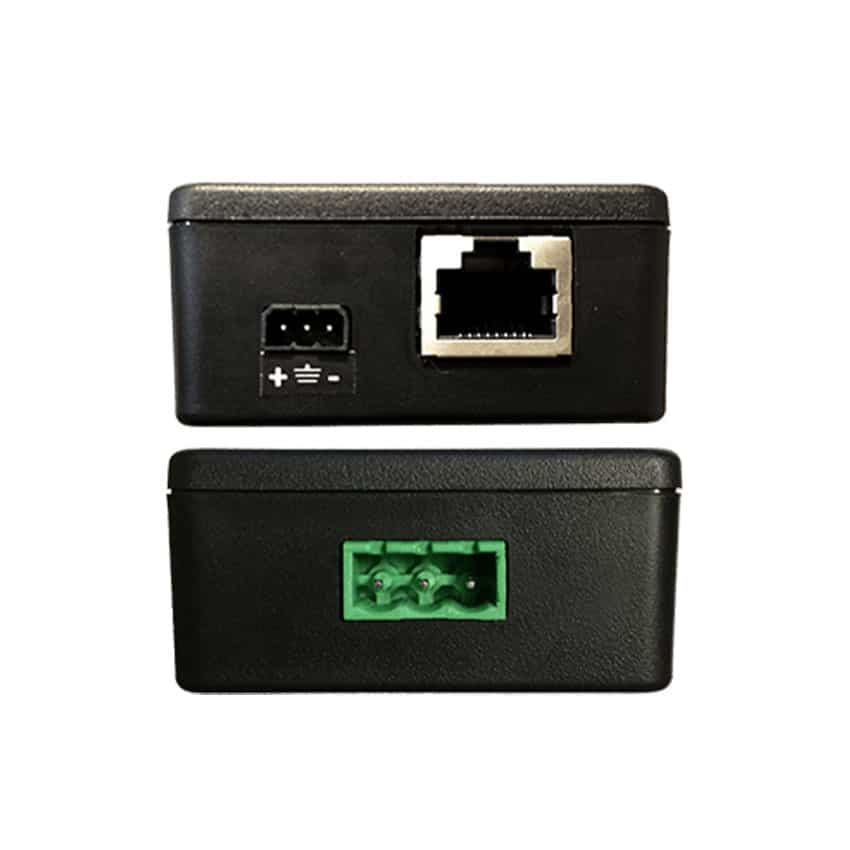
• 1x RJ45 10/100 Mbps Ethernet port (Auto MDI/MDI-X) • 1x 3-pin 5.08mm Terminal Block for DH+ (Phoenix style) • 1x 3-pin pluggable power terminal block |
| Ethernet Communication: | 10/100 Mbps, Half/Full Duplex, Auto-Negotiation |
| DH+ Communication Speeds: | 57.6 kbps, 115.2 kbps, 230.4 kbps (Auto-Baud Rate Detection) |
| Smart Detection Engine: | Automatic DH+ Baud Detection, Auto-Polarity Correction, and Automatic Free Node Assignment |
| IP Addresses: | Up to 5 IP addresses, one per DH+ PLC. For time-sensitive applications: max. 1 EtherNet/IP device and 4 DH+ devices per ANC-100e. |
| Power Input: | 9V to 24V DC external power supply |
| Power Consumption & Current: | ~35 mA @ 24VDC (94 mA @ 9VDC) | 0.9 W Typical / 1.0 W Max |
| Electrical Isolation & Protection: | 400V continuous isolation (tested at 2000V for 60s); Integrated TVS Surge Protection & Reverse Polarity Safeguards |
| Operating Temperature: | -40°C to +85°C (-40°F to +185°F) Extended Industrial Range |
| Storage Temperature / Humidity: | -40°C to +100°C (-40°F to +212°F) | 0% to 98% Relative Humidity (non-condensing) |
| Dimensions & Enclosure: | 86 x 57 x 27 mm (3.38 x 2.24 x 1.06 in) | IP30 UL-94HB Flame Retardant ABS |
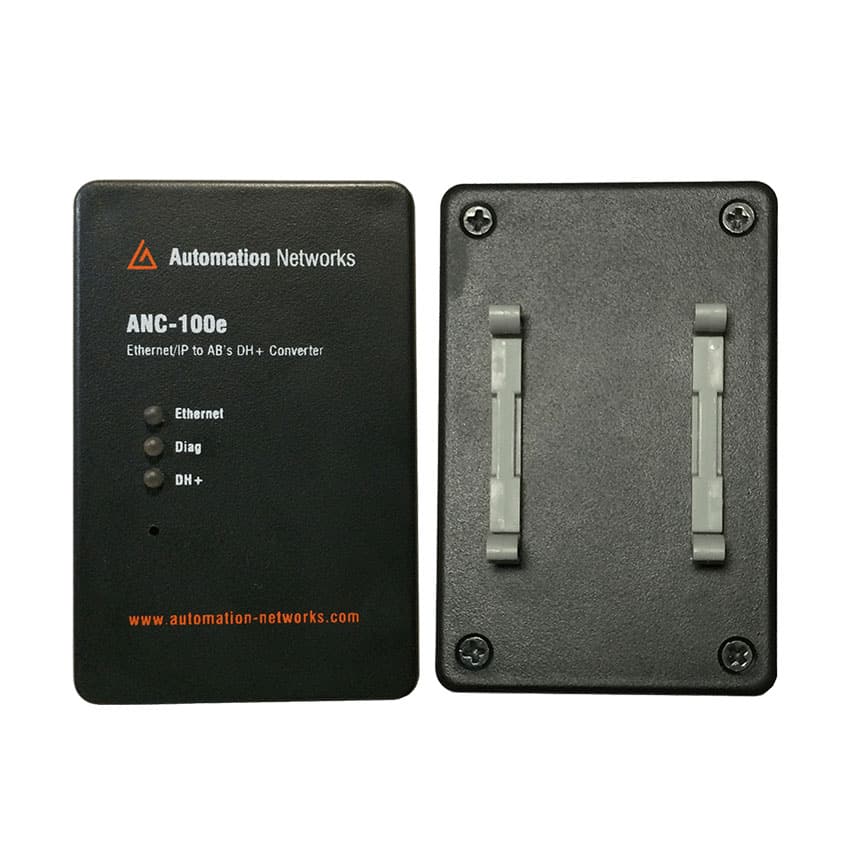
| Mounting Options: | Standard 35mm DIN-rail mount (clip included) or flat surface / desktop mounting |
| Package Contents: | 1x ANC-100e Gateway, 1x 3-Pin Phoenix DH+ Connector, 1x 8-Pin Mini-DIN PLC Port Cable, 1x DIN-Rail Clip |
| Warranty & Guarantee: | Lifetime Hardware Warranty | 30-Day Money-Back Satisfaction Guarantee (Zero Restocking Fees) |
Related products
- 8300 FM 1960 West, Suite 450 Houston TX 77070
- Tel (832) 998-8359
- Toll-Free (866) 217-6942
- contactus@automation-networks.com
- Lifetime Warranty: Full hardware replacement on active converters.
- Fast Dispatch: In-stock units ready to ship from the USA.
- Dedicated Support: Direct engineer-to-engineer technical assistance.
- Zero-Risk Guarantee: 30-day money-back satisfaction guarantee.
Automation Networks