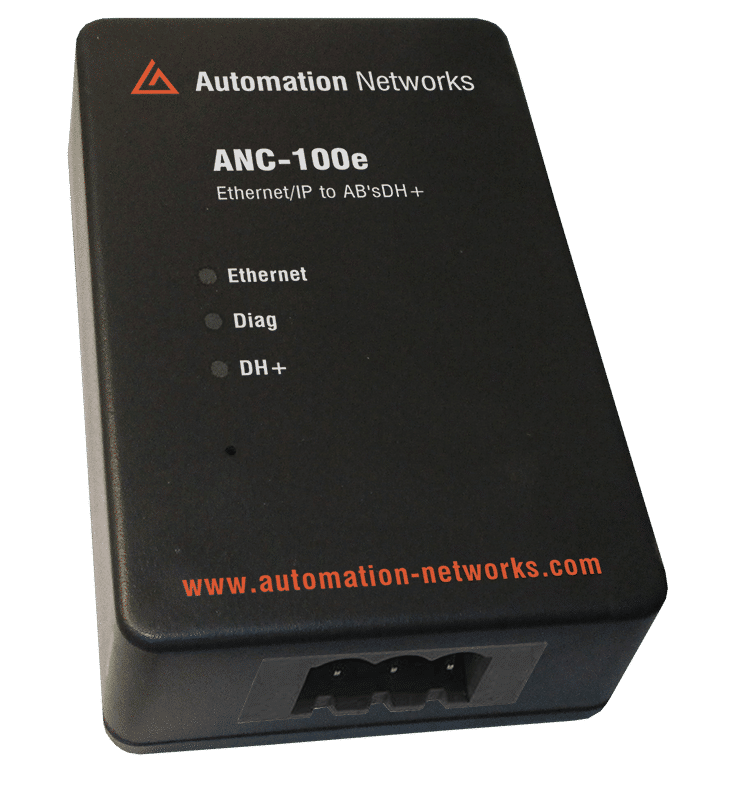
In this technical guide, we shift from HMI drivers to the core of Allen-Bradley communications: RSLinx Classic. Connecting Modern Ethernet to Legacy DH+ via ANC-100e a "Remote Gateway," you can bridge your PC to any legacy node on the "Blue Hose" network for programming, monitoring, and data collection.
Why RSLinx Classic?
While dedicated HMI drivers (like Ignition or KEPServerEX) are great for continuous data streaming, RSLinx Classic remains the essential tool for maintenance and engineering.
Universal Access: Once configured, you can use standard Rockwell software (RSLogix 5, RSLogix 500) to go online with any controller on the DH+ network.
No Specialized Hardware Required: The ANC-100e eliminates the need for expensive, discontinued 1784-U2DHP cables or PCMK cards.Bridge
Transparency: RSLinx treats the ANC-100e as a transparent gateway, making the legacy DH+ network appear as a local backplane
Pre-Configuration Checklist
Before opening RSLinx, verify your physical and network environment:
Physical Connectivity: Ensure the ANC-100e is connected to your Ethernet switch (or directly to your PC) and the DH+ network via the 3-pin connector.
IP Addressing: Your computer's network adapter must be in the same subnet as the ANC-100e. (Default IP: 192.168.137.2) .
Auto-Discovery: By default, the ANC-100e will automatically find a free DH+ node and match the network baud rate.
RSLinx Classic Configuration: Connecting Modern Ethernet to Legacy DH+ via ANC-100e
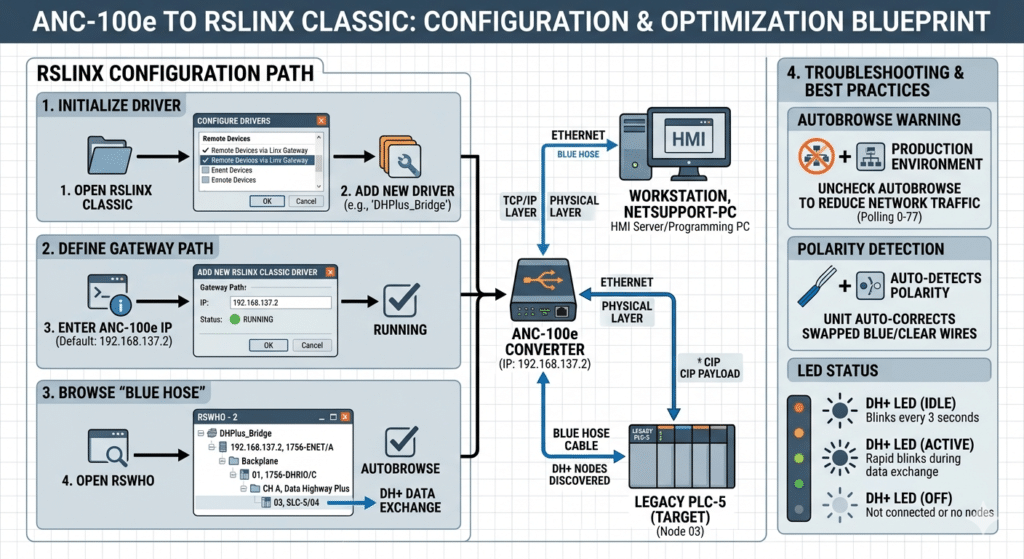
1: Initialize the DriverOpen RSLinx Classic.Navigate to the Communications menu and select Configure Drivers.In the "Available Driver Types" dropdown, select "Remote Devices via Linx Gateway".Click Add New and give your driver a name (e.g., "DHPlus_Bridge").
2: Define the Gateway PathIn the configuration window, enter the IP address of your ANC-100e (Default: 192.168.137.2) in the "Server's IP Address" field.Click OK. Ensure the status of the new driver shows "Running" in the Configured Drivers list.
3: Browsing the "Blue Hose"Open the RSWho window.Check the Autobrowse box to start discovering nodes.Expand your new driver. You will see the ANC-100e appear as a 1756-ENET module.Continue expanding through the Backplane until you reach "CH A, Data Highway Plus".
4. Troubleshooting and Best Practices"
Autobrowse" Warning: While helpful for initial setup, the "Autobrowse" feature can generate significant network traffic. It is recommended to uncheck this box in a live production environment once your nodes are discovered.
Polarity Detection: The ANC-100e features Auto-Detection for the Blue/Clear wires. If you accidentally swap the wires on the 3-pin connector, the device will automatically correct the signal internally.
LED Status: The DH+ LED on the unit should blink every 3 seconds when idling and rapidly during data exchange. If the LED remains off, the network is not physically connected or has no other active nodes.
ROI and Long-Term Maintenance
Using the ANC-100e with RSLinx Classic isn't just a "quick fix"—it's a long-term maintenance strategy.
Legacy Logic Preservation: You can keep your proven, validated PLC-5 logic running exactly as it has for years while still satisfying the 2026 requirement for "Connected Enterprise" data.
Simplified Spares: Instead of keeping expensive, proprietary communication cards for every PC, you keep one or two ANC-100e units as universal spares for the entire plant.
Connecting RSLinx Classic to your DH+ network via the ANC-100e represents the perfect balance of legacy respect and modern capability. By following this blueprint, you ensure that your SLC and PLC systems remain fully accessible for the next generation of industrial challenges.
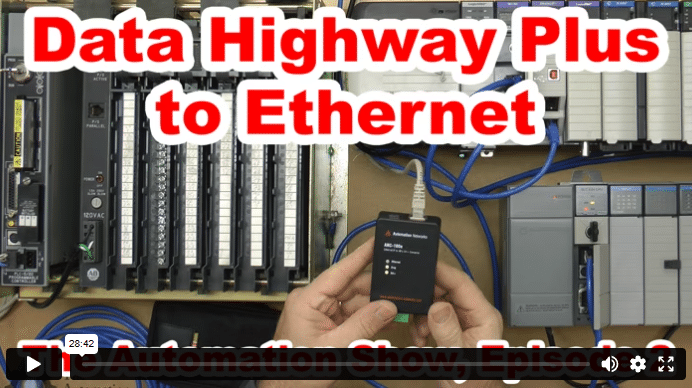
Data Highway Plus to Ethernet (S02)
In today’s episode of The Automation Show, I unbox and setup an ANC-100e Data Highway Plus (DH+) to Ethernet Converter Data Highway Plus to Ethernet bridge from Automation Networks. For more information about the show (and how you could win an ANC-100E) check out the “Show Notes” located below the video. The Automation Show, Episode 2 Show Notes: NOTE: Would you like your … Continue readingData Highway Plus to Ethernet (S02)