
How to Interface a PanelView Plus on Ethernet to a PLC-5 on DH+

11981
419_488_71
71427321893
54121381948
91688
741
8888
519_7148

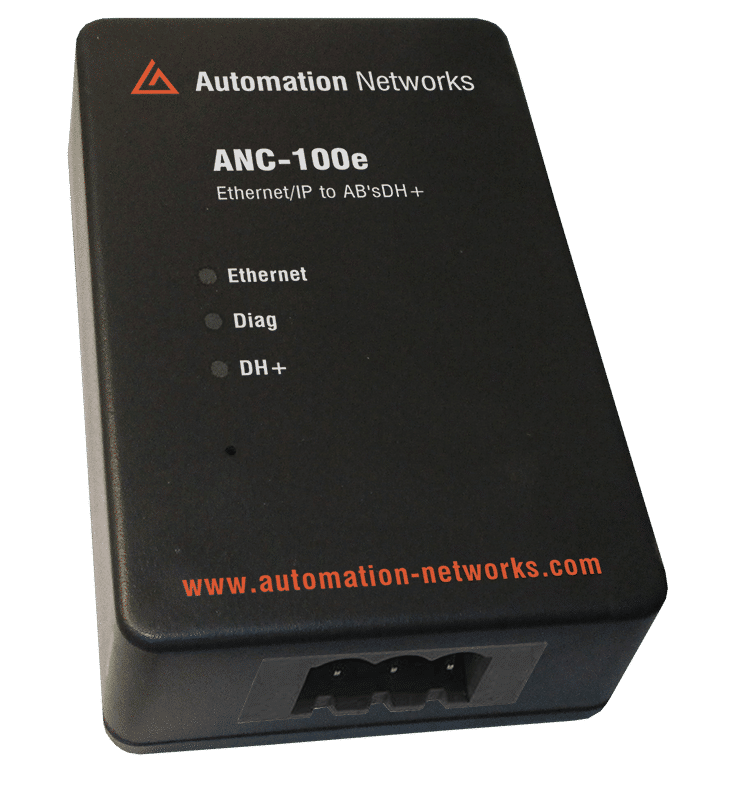
As manufacturing facilities modernize, the PanelView Plus (6 or 7) has become the standard for HMI visualization. However, many mission-critical systems still rely on the legendary Allen-Bradley PLC-5 controller communicating over Data Highway Plus (DH+). This guide details how to bridge that gap using the ANC-100e Ethernet to DH+ Converter, allowing your modern Ethernet HMI to "talk" to legacy "Blue Hose" hardware without expensive chassis-based bridging or controller replacements.

Why Bridge Ethernet to DH+?

The PLC-5 is one of the most reliable controllers ever built, but its native communication (DH+) is a legacy serial protocol that modern HMIs cannot access directly via a standard RJ45 port.

When upgrading a failed legacy PanelView (like a PanelView 1000 or 1200) to a new PanelView Plus, you face a choice: replace the PLC (high cost/risk) or bridge the network. Using the ANC-100e provides a "Zero-Downtime" solution, allowing the new HMI to reside on the plant Ethernet network while accessing the PLC-5 through a high-speed virtual bridge.

The ANC-100e Gateway

Add Your Heading Text HereThe ANC-100e acts as a transparent gateway. To the PanelView Plus, the PLC-5 appears to be an Ethernet-native device. To the PLC-5, the PanelView appears as just another node on the DH+ network.

Key Hardware Specs for Integration:

  • Protocol Translation: Converts EtherNet/IP (CIP) to DH+ (Token Passing).

  • DH+ Connection: 3-pin Phoenix connector (Blue Hose).

  • Ethernet Connection: 10/100 Mbps RJ45.

  • Compatibility: Works with PanelView Plus 6, PanelView Plus 7, and FactoryTalk View ME/SE.

Communication Parameters

Setting

Value / Example

Note

ANC-100e IP Address

192.168.0.230

Default static IP for the gateway.

HMI Node (Virtual IP)

192.168.0.230

Set in ANC-100e "HMI" Tab to map to DH+ Node.

PLC-5 DH+ Node

12 (Octal)

The physical address of your PLC-5

DH+ Baud Rate

57.6k / 115.2k /
230.4k

Must match the existing DH+ network.

RSLinx Enterprise Driver

Ethernet Devices

Used in FactoryTalk View Studio

Device Model in FT View

Ethernet PLC-5

Select this even if the PLC is on DH+

Technical Configuration

Following the established documentation for Automation Networks adapters, follow these three phases for a successful setup.

  • Phase A: ANC-100e Hardware Setup

    Wiring: Connect your DH+ "Blue Hose" to the 3-pin connector. The ANC-100e features Auto-Polarity Detection, so wire color order is not critical.

    IP Setup: Connect your PC to the ANC-100e. Access the web interface at 192.168.0.230.

      HMI Mapping:

      Navigate to the "HMI" Tab.

      Turn ON the first row.

      Enter an unused IP address on your subnet (e.g., 192.168.0.231) and the corresponding DH+ Node of your PLC-5.

      Click Apply.

  • Phase B: FactoryTalk View Studio Configuration Communication Setup: Open RSLinx Enterprise (FactoryTalk Linx) within your project.

      Add Driver: Right-click on "Ethernet" and select Add Device.

      Select Device: Choose Ethernet PLC-5 (or SLC-5/05 if using a 5/04).

      Assign IP: Use the Virtual IP you assigned in the HMI Tab of the ANC-100e (e.g., 192.168.0.231).

      Create Shortcut: Add a new shortcut (e.g., "PLC5_Prod") and point it to this device.

  • Phase C: PanelView Plus Deployment Design to Runtime: In FactoryTalk View, ensure you click "Copy from Design to Runtime" in the Communication Setup.

      IP Address: Ensure the physical PanelView Plus hardware is assigned an IP on the same subnet as the ANC-100e (e.g., 192.168.0.50).

      Transfer: Create your .mer file and download it to the PanelView.
  • DH+ vs. Ethernet

    While the ANC-100e is extremely fast, the bottleneck is often the legacy DH+ network itself. To ensure your PanelView Plus remains responsive:

    • Update Rates: Set your tag update rates to 500ms or 1s for non-critical data. Rapid 100ms polling can saturate a 57.6k DH+ network.

    • Bit Arrays: Instead of polling 50 individual boolean tags, group them into a single Integer (N-file) in the PLC-5. Reading one integer is much faster than 16 individual bit requests over DH+.

    • LED Feedback: A rapid blink on the ANC-100e DH+ LED indicates active communication. A slow 3-second blink means the unit is idling and associated correctly.

    PanelView Plus on Ethernet to a PLC-5 on DH+

    In 2026, securing legacy hardware is a top priority. Since the PLC-5 has no native security, the ANC-100e acts as your first line of defense.

    VLAN Isolation: Keep the Ethernet side of the ANC-100e on a secure Control VLAN.

    Password Protection: Change the default admin password (password) in the ANC-100e web interface to prevent unauthorized configuration changes.

    Firmware Updates: Regularly check the Automation Networks support page for firmware updates that enhance CIP compatibility with newer PanelView Plus 7 firmware versions.

    Interfacing a PanelView Plus on Ethernet to a PLC-5 on DH+ doesn't require a complex "Rip and Replace" strategy. By utilizing the ANC-100e, you preserve your investment in legacy logic while gaining the high-resolution graphics and remote access capabilities of modern Rockwell HMIs. This "Hybrid" approach is the most cost-effective way to modernize your facility's human-machine interface.

    Are you ready to migrate your legacy PanelView?

    Project Audit: Contact Automation Networks for a full network compatibility check.


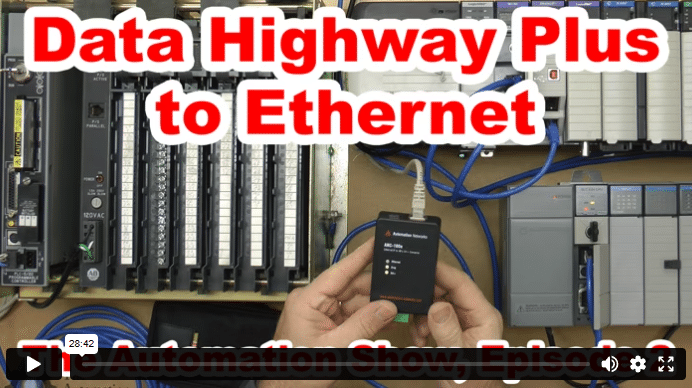
    Data Highway Plus to Ethernet (S02)

    In today’s episode of The Automation Show, I unbox and setup an ANC-100e  Data Highway Plus (DH+) to Ethernet Converter Data Highway Plus to Ethernet bridge from Automation Networks. For more information about the show (and how you could win an ANC-100E) check out the “Show Notes” located below the video. The Automation Show, Episode 2 Show Notes: NOTE: Would you like your … Continue readingData Highway Plus to Ethernet (S02)
    The Automation Blog

     2Comments 

    Scroll to Top