
Whether you are an automation engineer testing ladder logic routines or a maintenance technician preparing logic backups, learning how to download RSLogix 500 free from an official, virus-free source is essential. Rockwell Automation provides an official, unrestricted starter package containing RSLogix Micro Starter Lite, RSLogix Emulate 500, and RSLinx Classic Lite directly from their servers.
While RSLogix Emulate 500 is ideal for offline logic simulation, connecting to physical plant machinery over Data Highway Plus (DH+) requires dedicated industrial interface hardware. Modern 64-bit laptops connect directly to SLC 5/04 (via RSLogix 500) and PLC-5 (via RSLogix 5) using the ANC-120e USB Cable or the ANC-100e Ethernet Gateway.
Why Download RSLogix 500 Free for Ladder Logic Testing?
Rockwell bundles three core software components that allow complete ladder logic design and simulation without physical hardware:
- RSLogix Micro Starter Lite (v11.00): The core programming environment. It supports MicroLogix 1000 and MicroLogix 1100 (Series A and B) controllers with no software activation keys required.
- RSLogix Emulate 500 (v6.00): A software-based chassis emulator that executes your RSLogix 500 ladder programs directly inside PC memory.
- RSLinx Classic Lite: The industrial communication backbone required to establish an internal driver bridge between RSLogix 500 and the emulator engine.
Step 1: Access Rockwell PCDC to Download RSLogix 500 Free
Rockwell hosts all official software installers inside its central Product Compatibility and Download Center (PCDC) repository:
- Step 1.1: Open your web browser and navigate to
www.rockwellautomation.com. - Step 1.2: In the top navigation menu, click on Support and select Compatibility & Downloads (PCDC).
- Step 1.3: In the upper-right corner of the PCDC page, click Sign In. If you do not have an active account, click Create an Account. Note: Accessing free MicroLogix software does NOT require a paid TechConnect support agreement.
Step 2: Locate the 1763-Lxxx Catalog to Download RSLogix 500 Free
Searching for "RSLogix 500" directly in PCDC only displays paid, licensed editions. To locate the free package, search for the associated hardware family:
- Step 2.1: In the central PCDC search box, enter the exact catalog number:
1763-Lxxx. - Step 2.2: From the predictive search list, click on 1763-Lxxx MicroLogix 1100 Controllers.
- Step 2.3: Click the red Downloads icon next to the search result.
Step 3: Complete Your Download RSLogix 500 Free Package Selection
After clicking Downloads, filter and select the free components:
- Step 3.1: Select the latest firmware/software release (e.g., v11.000 or v10.000).
- Step 3.2: Under the Software category, expand the available list and verify that the following packages are checked:
- RSLogix Micro Starter Lite (No Activation)
- RSLogix Emulate 500
- RSLinx Classic Lite
- Step 3.3: Click on Download Cart in the upper right.
- Step 3.4: Accept the End User License Agreement (EULA) and choose Direct Download to download the installation files to your workstation.
Step 4: Installation on 64-Bit Windows 10 & Windows 11
Because RSLogix 500 and Emulate 500 were originally designed for legacy 32-bit Windows architectures, follow this specific installation sequence to prevent setup errors on modern operating systems:
- Enable .NET Framework 3.5: Open Windows Features on your PC, check .NET Framework 3.5 (includes .NET 2.0 and 3.0), and allow Windows Update to download the required components.
- Run as Administrator: Extract each downloaded ZIP folder. Right-click
Setup.exeand select Run as Administrator. - Recommended Installation Order:
- Install RSLinx Classic Lite first.
- Install RSLogix Micro Starter Lite second.
- Install RSLogix Emulate 500 last.
- Restart your computer once all three packages have finished installing.
Step 5: Configuring the Emulator Driver in RSLinx Classic
To execute ladder logic without a physical controller, link RSLogix to the virtual CPU:
- Open RSLinx Classic (Run as Administrator).
- Go to Communications > Configure Drivers.
- In the Available Driver Types dropdown, choose SLC 500 (DH485) Emulator driver (named
EMU500-1) and click Add New. - Assign station address
00to your workstation and click OK. - Open RSLogix Emulate 500, load your ladder logic
.ACHor.RSSproject file, assign station address01, and click Run. - In RSLogix 500, select Comms > System Comms, choose station 01 under the
EMU500-1driver, and click Online.
Step 6: Moving from Free Emulation to Physical Plant Floor Hardware
While software emulation is valuable for testing basic ladder logic, production manufacturing lines depend on physical hardware architectures. It is essential to distinguish the software required for each controller family:
- Allen-Bradley SLC 500 (SLC 5/01 through 5/05): Programmed exclusively using RSLogix 500.
- Allen-Bradley PLC-5 (1785 Classic & Enhanced): Programmed exclusively using RSLogix 5.
Both controller platforms communicate over the legacy Data Highway Plus (DH+) network. Because Rockwell has discontinued obsolete communication cables like the 1784-U2DHP and 1784-PCMK (which lack native 64-bit Windows 10/11 drivers), Automation Networks manufactures direct replacement converters in Houston, TX supporting both RSLogix 500 and RSLogix 5:
Emulation vs. Physical Industrial Hardware Comparison
| Feature / Capability | RSLogix Emulate 500 | ANC-120e (USB) | ANC-100e (Ethernet) |
|---|---|---|---|
| Target Controllers | MicroLogix 1000 / 1100 (Virtual) | SLC 5/04 & PLC-5 (Physical) | SLC 5/04, PLC-5 & PanelViews |
| Programming Software | RSLogix 500 Micro Lite | RSLogix 500 (SLC) & RSLogix 5 (PLC-5) | RSLogix 500 (SLC) & RSLogix 5 (PLC-5) |
| Windows 11 (64-bit) | Supported (with setup) | Native 64-Bit Drivers | Native (EtherNet/IP) |
| SCADA Integration | None | Field Service Only | Ignition, Kepware, FactoryTalk |
| Hardware Status | Free Download | In Stock ($995 USD) | In Stock ($1,195 USD) |
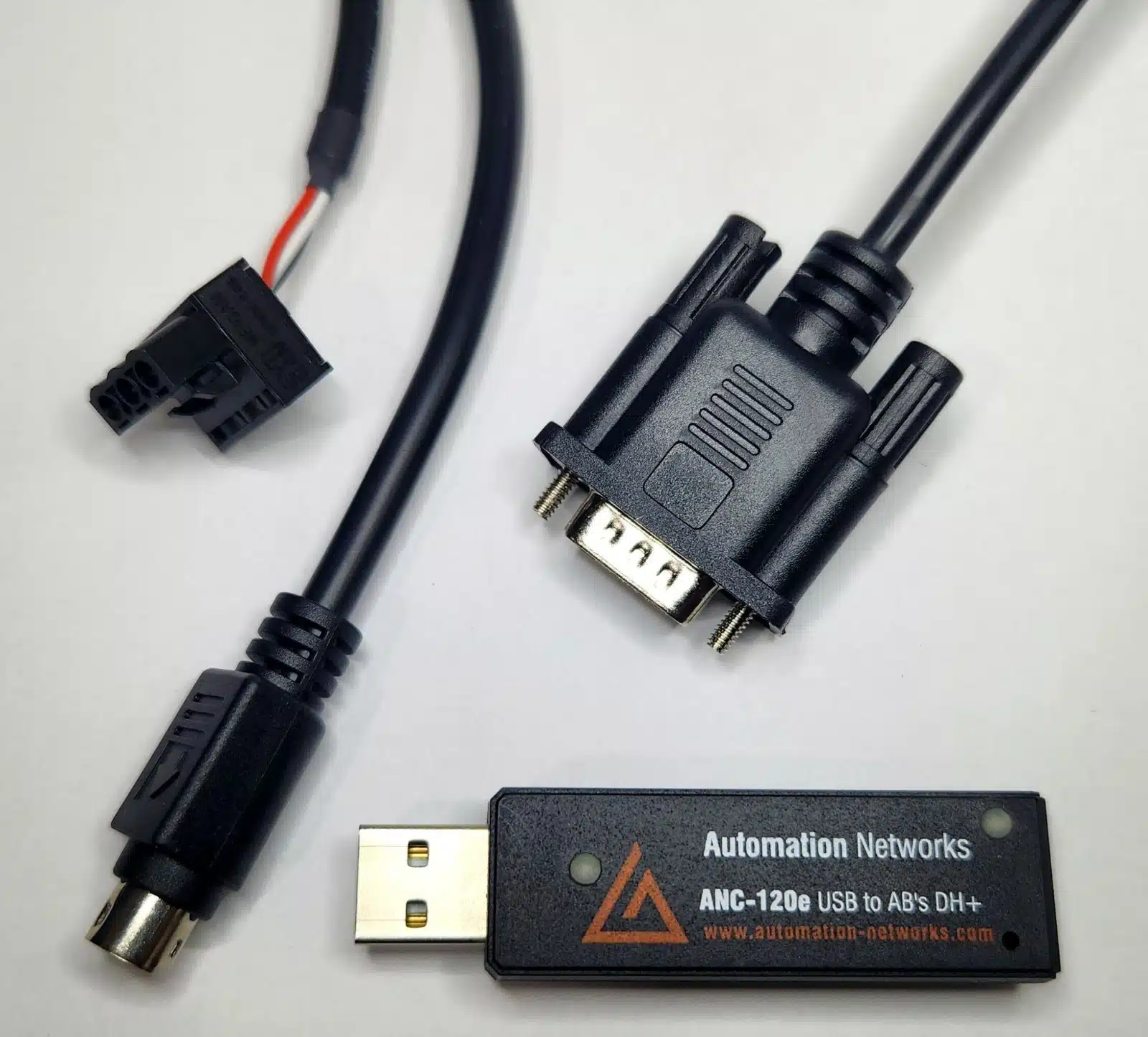
Replace obsolete 1784-U2DHP cables and 1756-DHRIO racks. Automation Networks provides factory-warrantied communication converters with same-day dispatch from Houston, TX and a 30-day risk-free evaluation.
Direct USB programming interface for Allen-Bradley SLC 5/04 (RSLogix 500) and PLC-5 (RSLogix 5) via RSLinx Classic.
- Windows 10 & 11 (64-bit) native support
- Replaces discontinued 1784-U2DHP
- Auto Baud & Auto Polarity detection
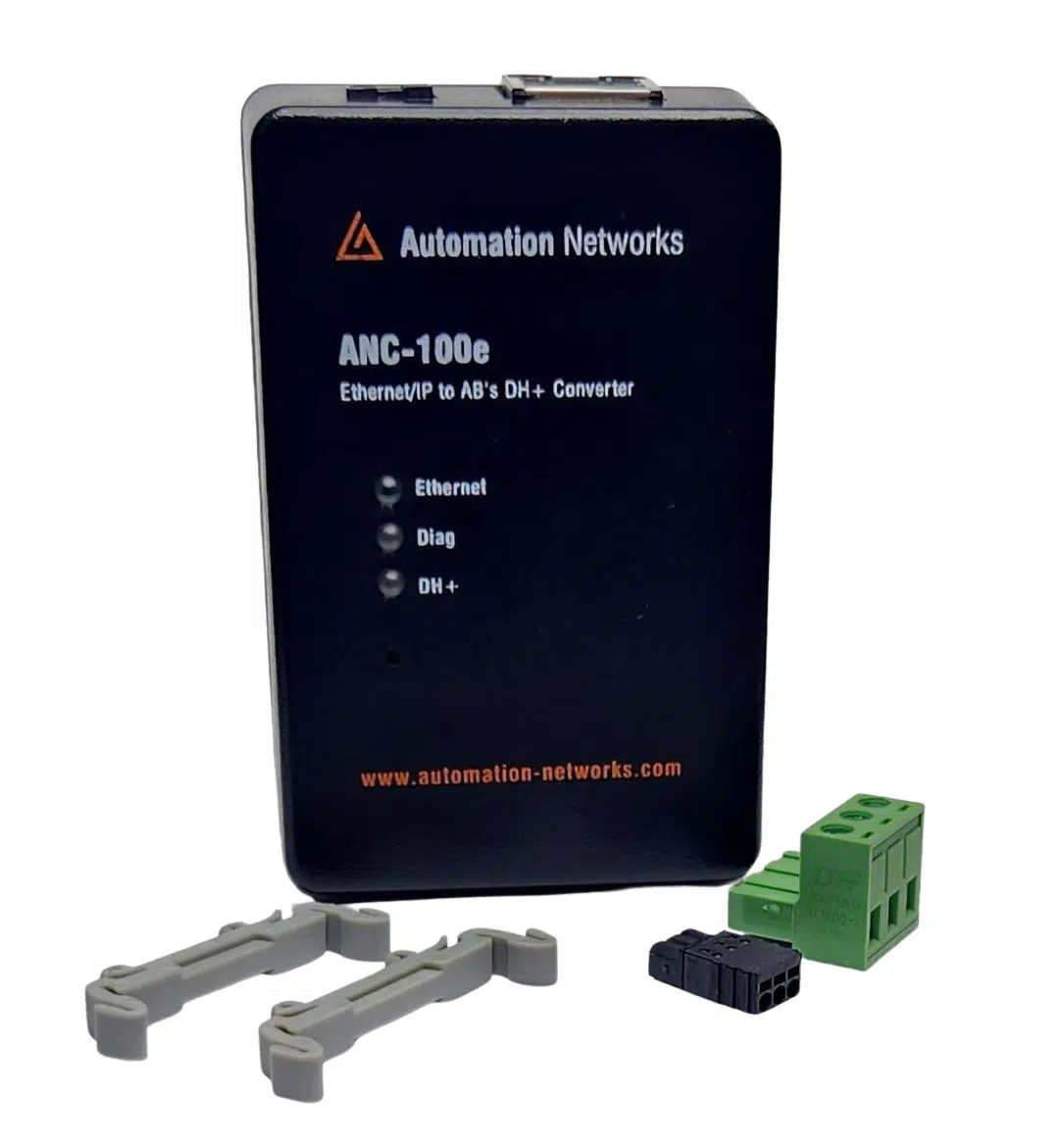
Permanent DIN-rail gateway connecting legacy SLC 5/04 & PLC-5 networks directly to Ethernet/IP SCADA systems and engineering workstations.
- Standalone DH+ gateway architecture
- Ignition, Kepware & FactoryTalk compatible
- Lifetime Warranty & 30-Day Evaluation