
To browse, upload, or collect data from legacy Allen-Bradley PLC-5 and SLC 5/04 controllers on a Data Highway Plus (DH+) network using modern 64-bit Windows 10 or Windows 11 workstations, selecting the proper RSLinx Classic DH+ driver depends on whether you are using a permanent Ethernet gateway or a field service USB cable.
Quick Guide: Which RSLinx Classic DH+ Driver Do You Need?
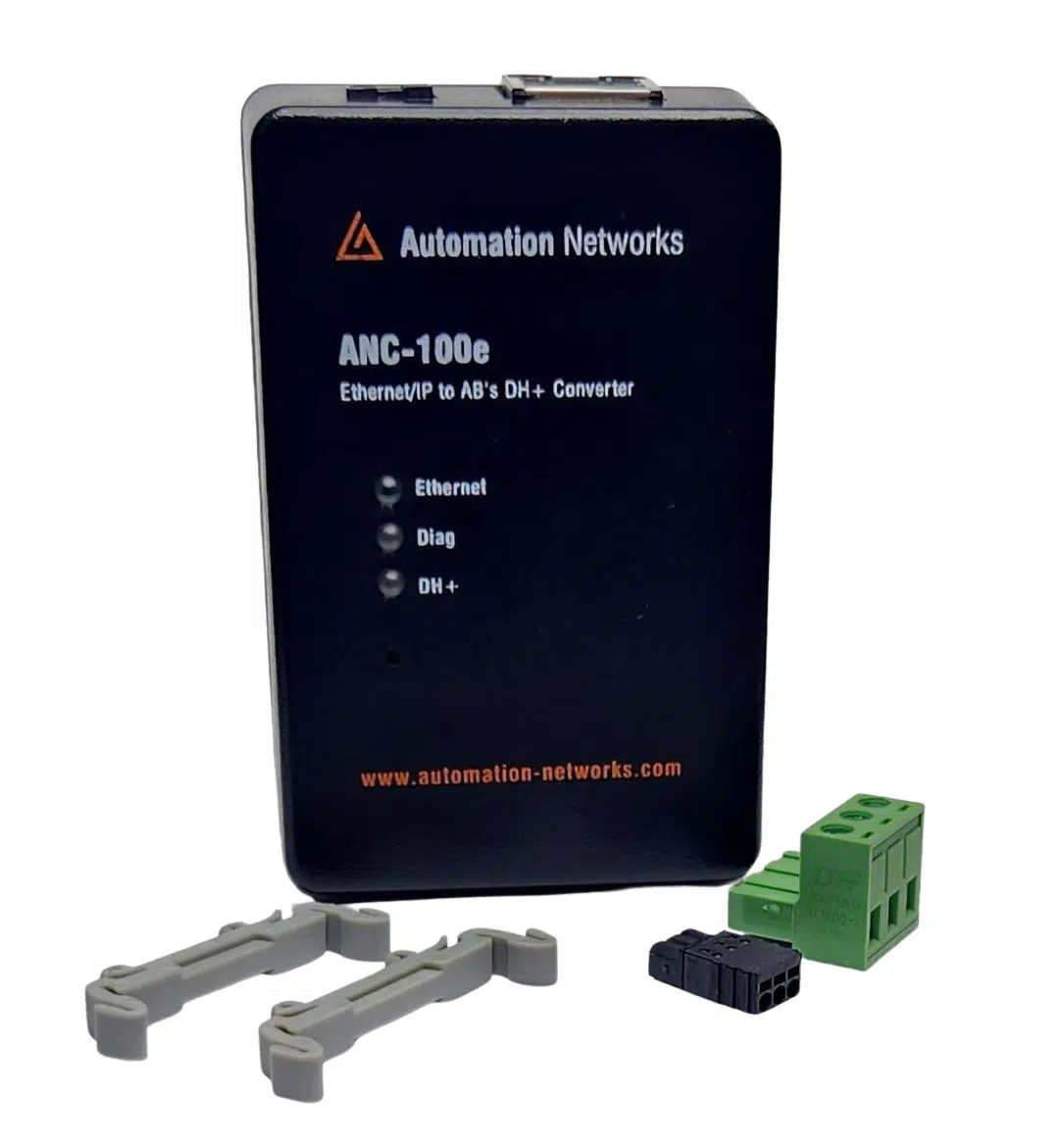
- For Permanent Ethernet-to-DH+ (ANC-100e Gateway): Use the standard Ethernet Devices (AB_ETH) driver. The ANC-100e emulates a virtual 4-slot ControlLogix chassis containing a 1756-DHRIO bridge module in Slot 1 (Channel A).
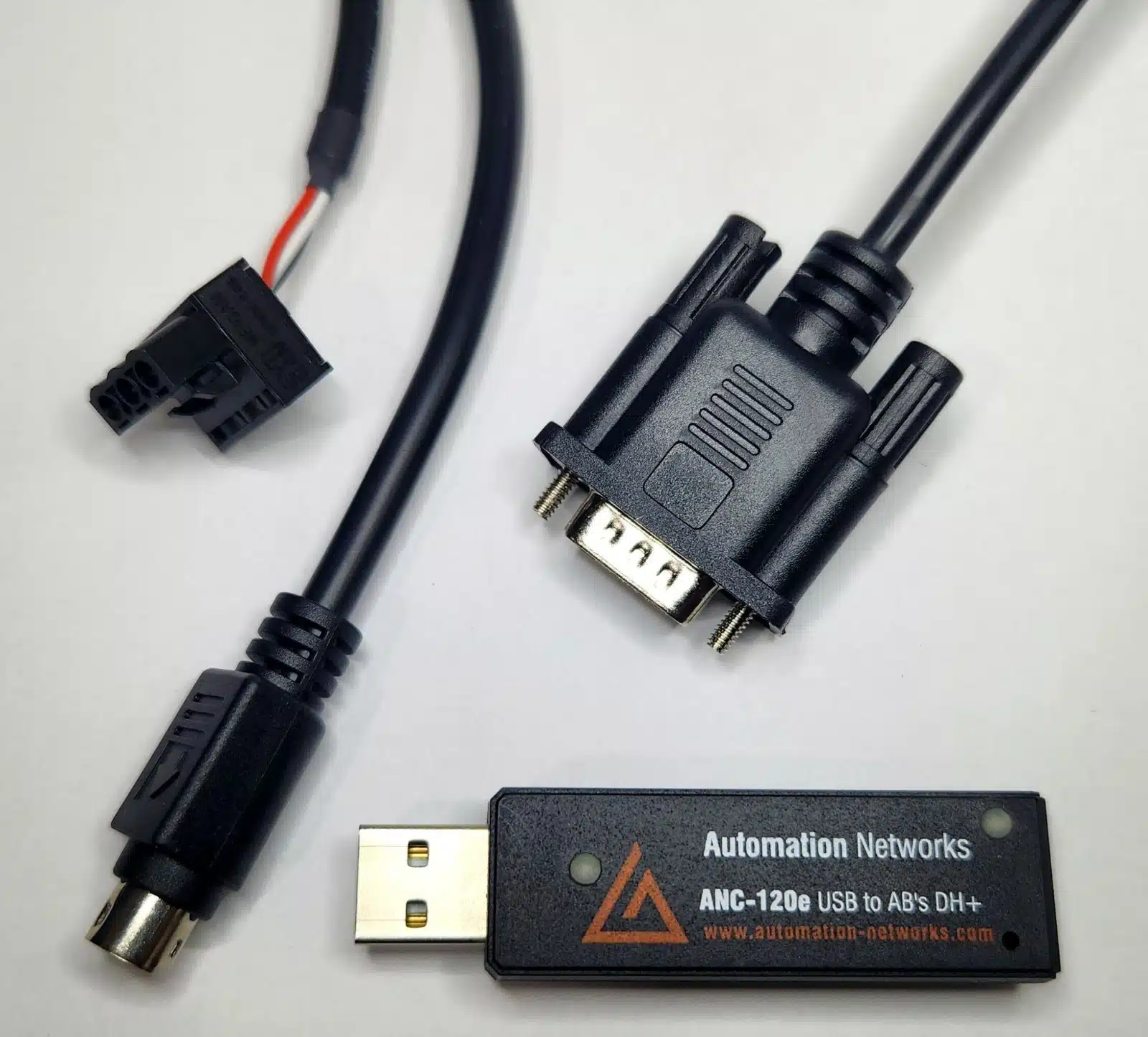
- For USB Field Service (ANC-120e Cable): Use the native 64-bit Automation Networks driver package. Unlike the discontinued Rockwell 1784-U2DHP, the ANC-120e operates natively on Windows 10 & 11 without virtual machines.
How to Configure the RSLinx Classic DH+ Driver for Ethernet (ANC-100e)
The ANC-100e Gateway enables RSLinx Classic to browse DH+ networks over standard office or plant Ethernet, making it the preferred solution for SCADA integration (Ignition, Wonderware, FactoryTalk View) and remote PLC-5 / SLC 5/04 programming in compliance with ODVA EtherNet/IP communication specifications.
Step-by-Step Configuration:
- Open RSLinx Classic (Run as Administrator).
- Navigate to Communications > Configure Drivers.
- In the Available Driver Types dropdown, select Ethernet Devices and click Add New (accept the default name
AB_ETH-1). - Enter the static IP address assigned to the ANC-100e gateway (default:
192.168.0.230). Click Apply, then OK. - Open the RSWho window:
- Expand the
AB_ETH-1driver. - Click the ANC-100e IP address to view the virtual 4-slot ControlLogix chassis.
- Expand Backplane and select Slot 1 (1756-DHRIO / Channel A).
- RSLinx will actively poll and display all active PLC-5, SLC 5/04, and PanelView nodes on the DH+ link.
- Expand the
Selecting the USB RSLinx Classic DH+ Driver for Field Programming (ANC-120e)
Designed as a direct drop-in replacement for the discontinued Allen-Bradley 1784-U2DHP and 1784-PCMK interfaces documented by Rockwell Automation, the ANC-120e connects USB 2.0/3.0 ports on engineering laptops directly to the DH+ 8-pin mini-DIN or 3-pin Phoenix port on PLC-5 and SLC 5/04 processors.
- Install the Automation Networks 64-bit Windows driver package.
- Plug the ANC-120e into any USB port and connect the DH+ cable to your controller. The converter auto-detects the active baud rate (57.6k, 115.2k, or 230.4k).
- In RSLinx Classic, configure the virtual communications driver as instructed in the quick-start guide.
- Open RSWho to verify your controller node address, then launch RSLogix 5 or RSLogix 500 for online monitoring, uploads, or downloads.
Hardware Driver & Protocol Selection Matrix
| Hardware Interface | RSLinx Driver | Target Controllers | Primary Application |
|---|---|---|---|
| ANC-100e (DIN-Rail Gateway) | Ethernet Devices (AB_ETH) | PLC-5, SLC 5/04, PanelView | SCADA (Ignition, FactoryTalk), MES & remote programming |
| ANC-120e (USB Cable) | Virtual Comms / USB Driver | PLC-5, SLC 5/04 | Field maintenance, direct RSLogix uploads/downloads |
| Rockwell 1784-U2DHP (Discontinued) | 1784-U2DHP (Obsolete) | PLC-5, SLC 5/04 | Legacy 32-bit Windows XP/7 only (No native Win 11) |
Troubleshooting Your RSLinx Classic DH+ Driver Setup
- Baud Rate Conflicts: DH+ networks operate strictly at 57.6k, 115.2k, or 230.4k baud. Both the ANC-100e and ANC-120e feature automatic baud rate detection, eliminating manual switch configuration errors.
- Station Node Collisions: Ensure the gateway or USB adapter's DH+ station address does not duplicate any physical PLC or HMI node on the network (octal addresses 00–77).
- Firewall Settings: When communicating through the ANC-100e across subnets, verify that TCP/UDP ports
2222(Allen-Bradley CSPv4) and44818(EtherNet/IP) are open on your workstation.
Connect Modern Workstations to Legacy DH+ Networks
Whether troubleshooting in the field with the ANC-120e USB cable or permanently bridging PLC-5 and SLC-500 networks to Ignition SCADA via the ANC-100e Ethernet gateway, Automation Networks provides in-stock solutions with same-day dispatch.
ANC-120e: USB to DH+ Cable
Direct USB programming interface for Allen-Bradley SLC 5/04 and PLC-5 via RSLogix 500 & RSLinx Classic.
- Windows 10 & 11 (64-bit) native support
- Replaces 1784-U2DHP & 1784-PCMK
- Auto Baud & Auto Polarity detection
ANC-100e: DH+ to Ethernet Gateway
Permanent DIN-rail gateway connecting legacy SLC 5/04 & PLC-5 networks directly to Ethernet/IP SCADA systems and engineering workstations.
- Standalone DH+ gateway architecture
- Ignition, Kepware & FactoryTalk compatible
- Lifetime Warranty & 30-Day Evaluation